


IoT Climate Monitoring with a Programmable Microcontroller
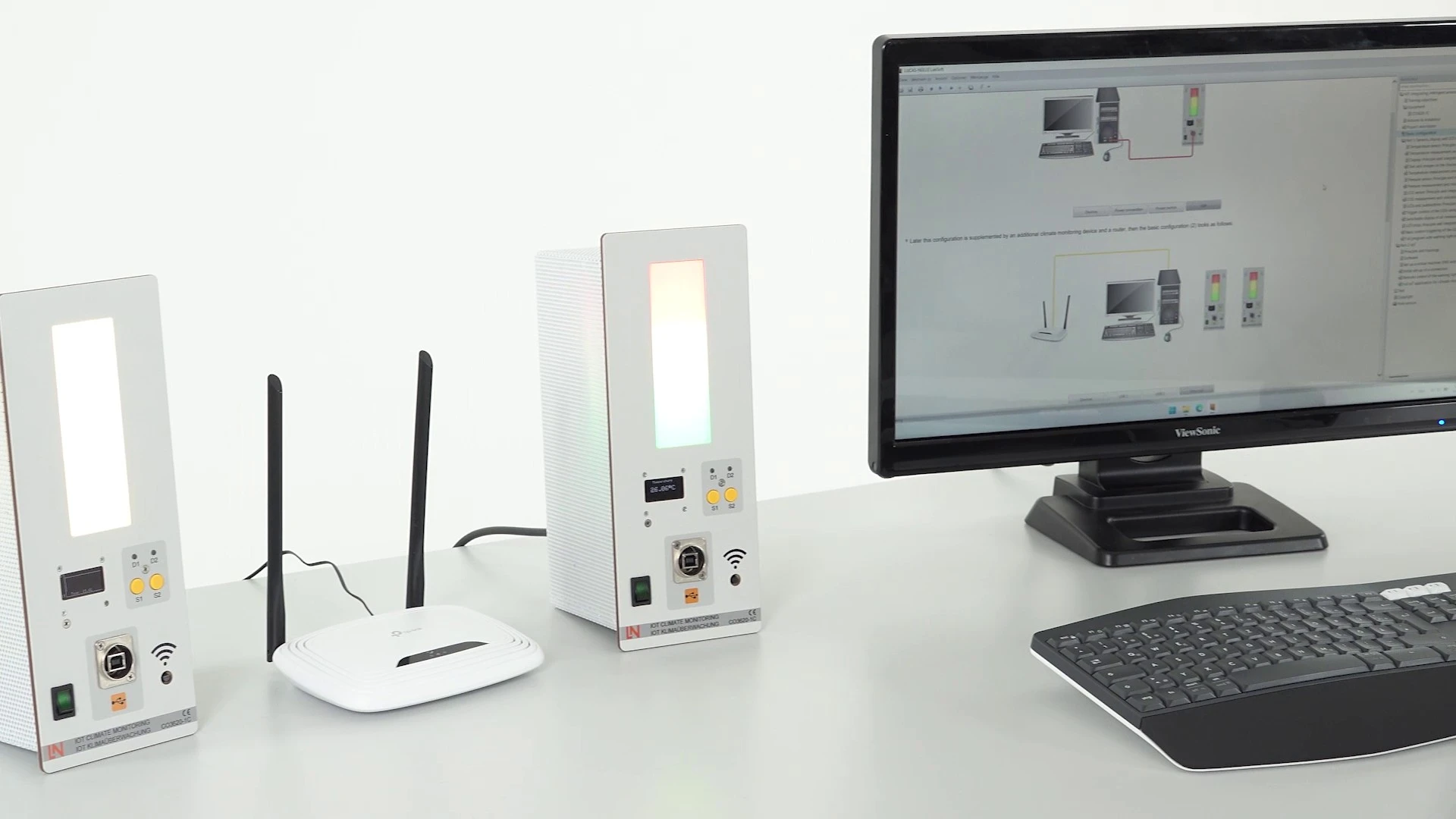
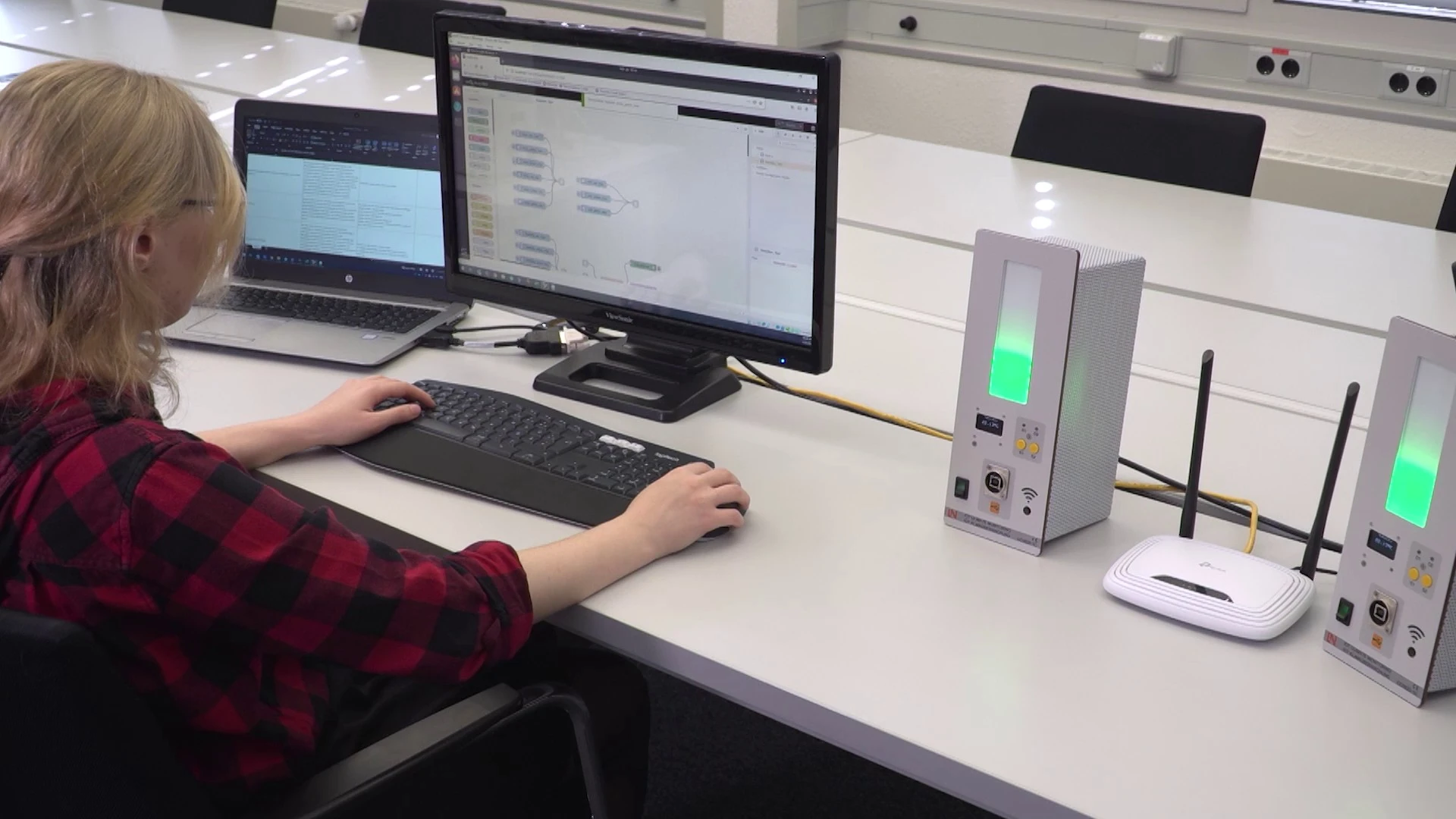
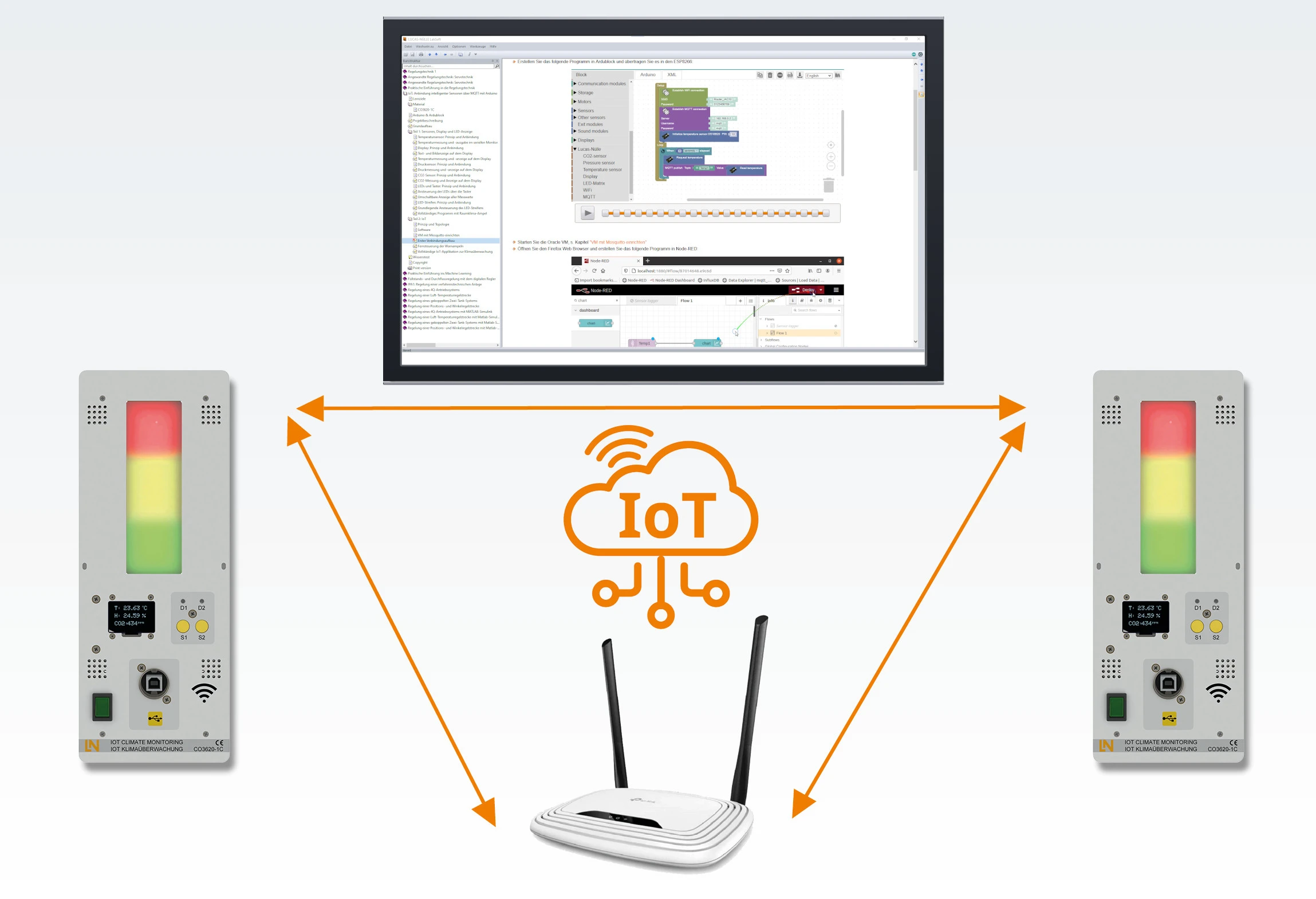
The system consists of two separate measuring units and a Wi-Fi router. Learners program a NodeMCU graphically, measure CO2, temperature, humidity and air pressure and transfer the values to a Node-RED dashboard via MQTT.
- Measuring CO2, temperature, humidity and air pressure
- Communicating wirelessly
- Integrating sensors as IoT devices
- Working with MQTT and Node-RED
- Graphical block programming without syntax hurdles
- Built-in Wi-Fi module
- IoT connectivity via MQTT and Node-RED
- NodeMCU ESP8266 microcontroller
The Internet of Things connects sensors and actuators rather than people and services. Learners explore how this works in practice using an example from their own classroom: air quality. They develop internet-enabled measuring stations themselves, connect CO2, pressure and temperature sensors to a NodeMCU ESP8266 via I2C and program the controller graphically with Ardublock or, alternatively, in the conventional way in the Arduino development environment. Via the integrated Wi-Fi module, the stations send their values by MQTT to a Node-RED flow, which displays them in the browser dashboard. On site, an OLED display and an RGB LED matrix provide feedback as soon as the air quality in the room deteriorates.
| Base Product | |
| CO3620-1D | IoT Climate Monitoring Starter Set |
| Course | |
| SO2802-4C | Interactive Lab Assistant: IoT climate monitoring with a programmable microcontroller |
| Options | |
| CO3620-1C | IoT climate monitoringoptional |
Learning Content in Detail
Measuring CO2, temperature, humidity and air pressure
Communicating wirelessly
Integrating sensors as IoT devices
Working with MQTT and Node-RED
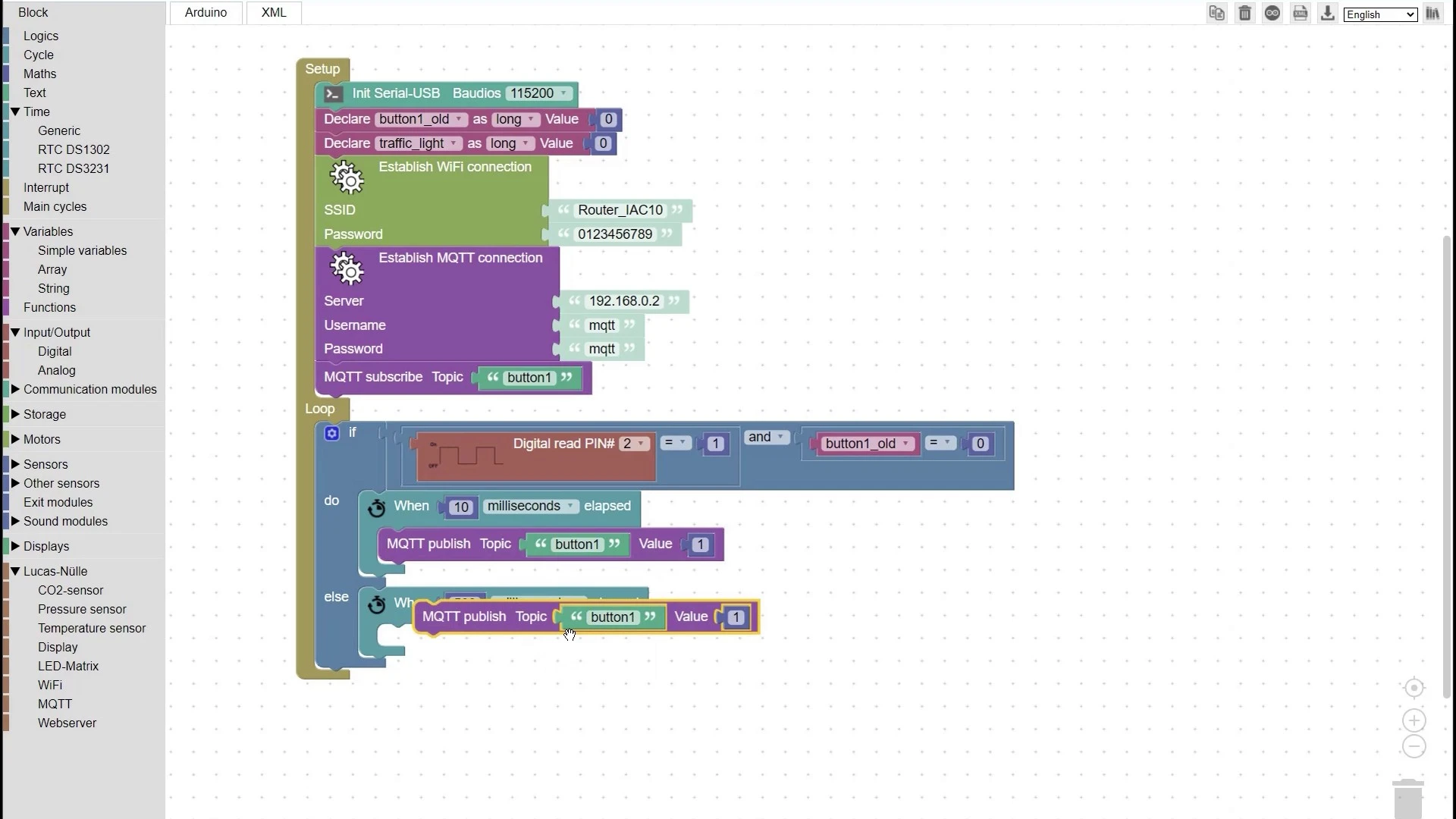
Graphical programming with Ardublock
Conventional programming in the Arduino environment
Controlling the RGB LED matrix
Controlling the OLED display
Features & Applications
- Graphical block programming without syntax hurdles — Learners assemble microcontroller programs from visual function blocks in Ardublock and transfer them directly to the ESP8266.
- Built-in Wi-Fi module — The integrated Wi-Fi module connects the stations wirelessly and synchronizes several distributed devices with one another.
- IoT connectivity via MQTT and Node-RED — Learners integrate preconfigured projects via MQTT and Node-RED and monitor the measured values visually in the browser dashboard.
- NodeMCU ESP8266 microcontroller — The controller board features an IEEE 802.11 b/g/n Wi-Fi interface, flash memory and flexible GPIO ports.
- Sensirion SCD30 NDIR CO2 sensor — The optical 2-channel sensor module measures CO2 concentration, room temperature and relative humidity simultaneously and outputs the values via I2C.
- MS5611 piezoresistive pressure sensor — The barometric sensor measures absolute pressure via I2C and also provides pressure compensation for the optical CO2 sensor.
- DS18B20 digital temperature sensor — The sensor reliably measures temperature changes with a resolution of 9 to 12 bits.
- SSD1306 monochrome OLED display — The high-contrast 128 × 64 pixel display outputs formatted text, special characters and graphical time curves via I2C.
- WS2812B RGB LED matrix — The signal column of 3 × 18 individually addressable RGB LEDs displays multi-level color gradients and gives a visual warning of poor indoor air quality.
- Ardublock programming interface — At the click of a button, the graphical block editor translates logical program sequences into standard-compliant C code for Arduino.
- Node-RED flow editor and dashboard — The browser-based tool displays measurement data in real-time charts and controls distributed actuators via logic operations.

From Knowledge Comes Capability.
You guide the learning
Where theory and practice go hand in hand.
RXLea brings a new way of learning: project-based, hands-on and clearly structured. Learners solve real-world tasks, while instructors save time on preparation. Interactive modules, smart analytics and real hardware create a modern, efficient learning world.
Hands-on and interactive
Animations, interactive tasks and realistic scenarios build a deep understanding. All content is organized into clear learning paths for focused, hands-on learning.
Digital support
3D assembly animations and digital instructions simplify complex procedures, reduce errors and help learners work more independently.
Visual support
Overview graphics, screenshots and sample animations make the learning world transparent. Photos from the learning packages are also available, including country-specific versions where needed.




Stay ahead in
technical training.
Get the latest training systems, product launches and educational insights, delivered directly to your inbox.