


Skip to content

DC Machines

RXLea
Digital projects for hands-on learningInteractive learning content, directly connected to the training system.

DC Machines

EEM20UT

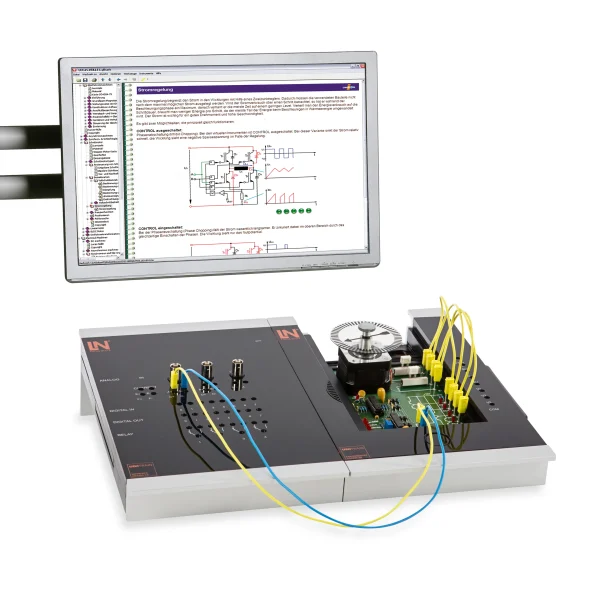
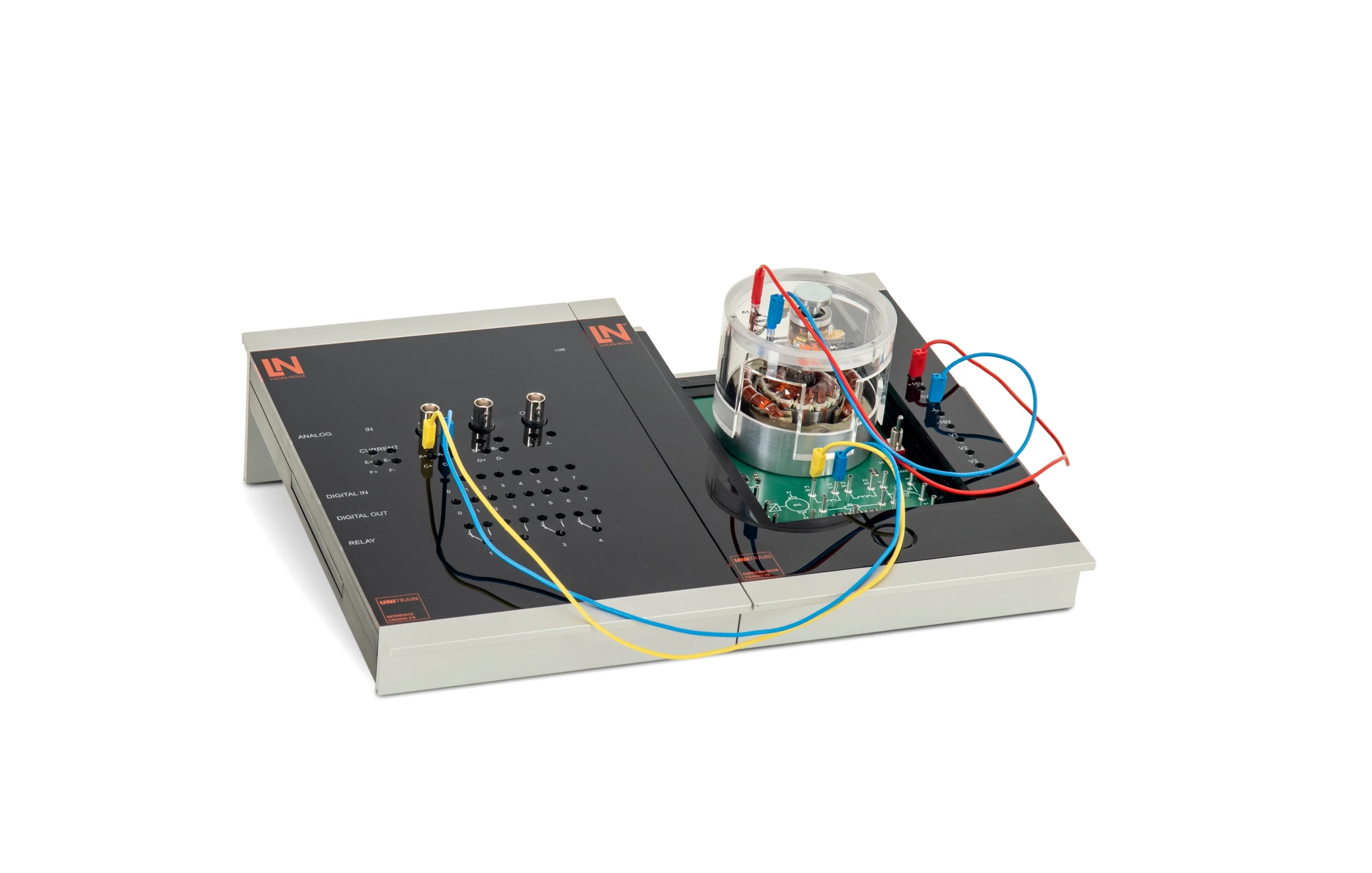
Compact UniTrain training system for DC and universal machines: learners wire series and shunt connections on the open machine model, adjust the brush rocker and locate inserted faults at safety extra-low voltage.

Learning Content
  • Comparing connection types
  • Controlling speed and direction of rotation
  • Limiting starting and braking currents
  • Diagnosing faults
KEY FEATURES
  • Open design for understanding the system
  • Safe experimentation at safety extra-low voltage
  • Analyzing all DC machines in one place
  • Adjusting the brush rocker mechanically
Speak with a Product Specialist +1 (757) 808-5696 · sales@lucas-nuelle.com

DC machines are ideal for demonstrating the basic physical principles of electric drives directly, from the Lorentz force to induction. For service and maintenance, there is the added fact that the commutator, type of connection and brush wear are among the most common sources of faults. On the UniTrain experiment card, the machine is openly visible: learners see the stator, rotor, commutator and carbon brushes, wire series and shunt circuits via 2 mm jacks and rotate the brush rocker during operation. Virtual instruments control and measure from the PC. The software uses relays to insert hidden hardware faults, which learners then locate by measurement. All experiments are carried out at safety extra-low voltage.

CO4204-7RCourse Electric Machines 1: DC machines
CO4203-2AUniTrain Interface mit virtuellen Instrumenten (Basis VI)
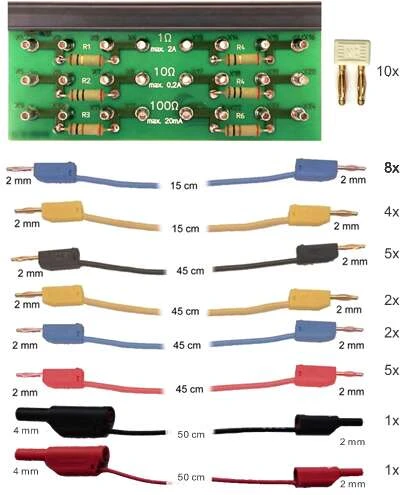
CO4203-2JUniTrain measurement accessories, shunts and connection cables
CO4203-2YUniTrain storage case for one UniTrain system
CO4203-2BUniTrain Experimenter

Learning Content in Detail

Learners explore the design and operating behavior of the DC machine, control speed and direction of rotation, and locate faults by measurement.

Comparing connection types

Learners wire the field winding in series and in shunt configuration and evaluate the differences in speed stability.

Controlling speed and direction of rotation

Learners reverse the polarity of the armature or field voltage and change the speed by field weakening or by varying the armature voltage.

Limiting starting and braking currents

Learners use virtual relays to switch series resistors into the armature circuit and measure the reduction in current peaks on the oscilloscope.

Diagnosing faults

Learners identify hidden hardware faults such as winding short circuits through systematic voltage and resistance measurements.

Features & Applications

The experiments are drawn from electrical drive technology, electrical machine construction and industrial servicing and maintenance.
  • Open design for understanding the system — Learners can see inside the electrical machine. The open design makes the interaction between stator, rotor, commutator and carbon brushes easy to understand in practice.
  • Safe experimentation at safety extra-low voltage — The system works exclusively with harmless safety extra-low voltage. Learners experiment, measure and wire safely, directly at the workstation.
  • Analyzing all DC machines in one place — Series-wound, shunt-wound and universal machines are combined in one system. Learners wire the circuits themselves and compare their different speed and load behavior.
  • Adjusting the brush rocker mechanically — Learners intervene mechanically in the machine: they rotate the brush rocker by hand and observe live how commutation affects the speed.
  • Systematic troubleshooting — Via the software, the system uses relays to insert real hardware faults, such as winding breaks, without the learners seeing them. Learners measure the signals and use them to develop logical diagnostic strategies.
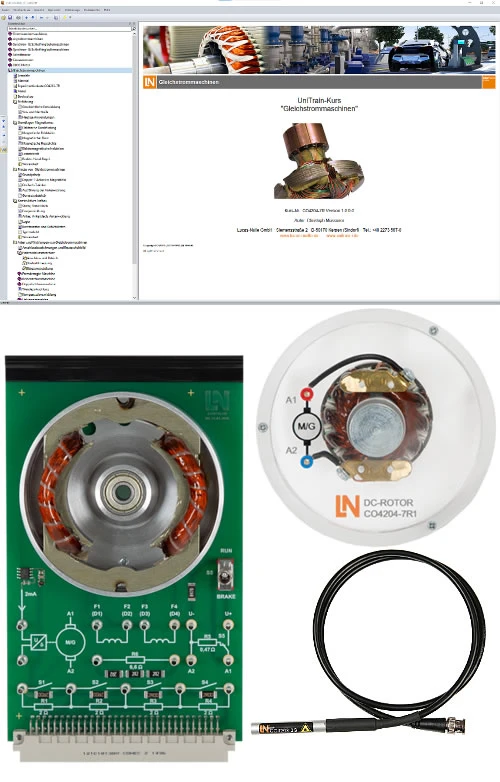
  • DC machine experiment card — The 2-pole stator has separate field windings. Using 2 mm jacks, learners flexibly wire series or shunt connections and measure at the same points.
  • Rotor with commutator and carbon brushes — The armature has 12 windings and a real commutator. Learners investigate current transfer through the carbon brushes and adjust the brushes mechanically during operation.
  • Stroboscope with bright LED — Learners use the stroboscope to determine the rotor speed optically. From this, they derive the slip of the machine under different parameters.
  • Integrated relays and resistors — The card contains switchable starting and braking resistors. Learners use them to investigate the reduction of inrush current and to simulate active braking.
  • Integrated temperature monitoring — A temperature sensor monitors the field winding. Learners measure the temperature rise at different currents and avoid thermal overloads.
  • LabSoft digital learning environment — The software combines theory and practice. Learners read the instructions, answer interactive tests and save their measurement results directly in the HTML interface.
  • Virtual instruments (UniTrain) — Learners control the system entirely from the PC. Virtual voltage sources, motor controls, multimeters and oscilloscopes deliver the measured values in real time.
  • Virtual motor control — Learners operate the machine via a virtual control panel. They adjust the armature voltage continuously and switch in the starting resistors via relays.
Learners working with RXLea on a tablet at a Lucas-Nuelle training system
RXLea

From Knowledge Comes Capability.

You guide the learning

Where theory and practice go hand in hand.

RXLea brings a new way of learning: project-based, hands-on and clearly structured. Learners solve real-world tasks, while instructors save time on preparation. Interactive modules, smart analytics and real hardware create a modern, efficient learning world.

Hands-on and interactive

Animations, interactive tasks and realistic scenarios build a deep understanding. All content is organized into clear learning paths for focused, hands-on learning.

Digital support

3D assembly animations and digital instructions simplify complex procedures, reduce errors and help learners work more independently.

Visual support

Overview graphics, screenshots and sample animations make the learning world transparent. Photos from the learning packages are also available, including country-specific versions where needed.


Learners using a tablet at an energy training system
RXLea on desktop, laptop and tablet
RXLea Path Creator for building learning journeys
RXLea Navigator showing the learning world
Learn more about RXLea
Newsletter

Stay ahead in
technical training.

Get the latest training systems, product launches and educational insights, delivered directly to your inbox.

Your email address

By subscribing, you agree to our Privacy Policy. You can unsubscribe at any time.

 Please select at least one category before subscribing.
I'm interested in - select all that apply