


Skip to content

WLAN Trainer SOHO

RXLea
Digital projects for hands-on learningInteractive learning content, directly connected to the training system.

WLAN Trainer SOHO

TWT11XX

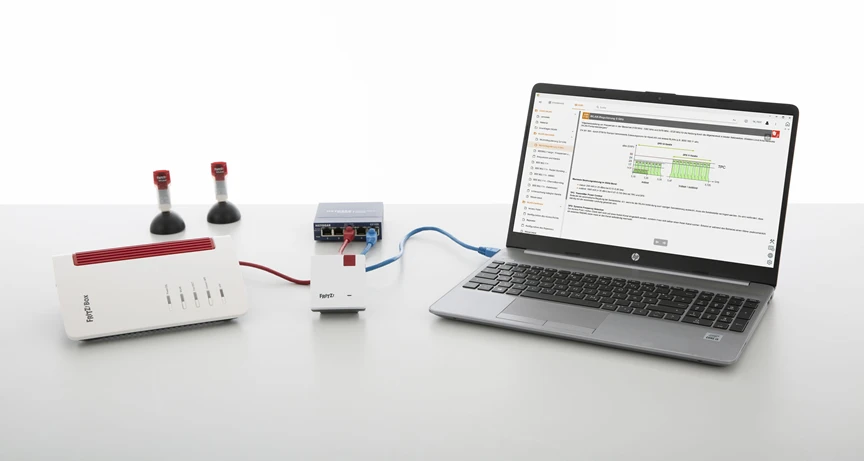
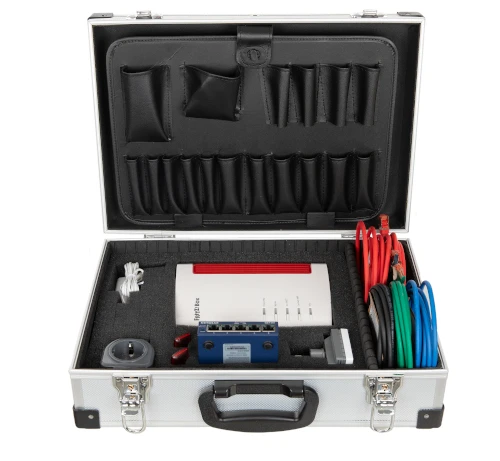
A case system with access point, repeater, USB sticks and switch. Learners set up a SOHO WLAN to IEEE 802.11a/b/g/n, measure RSSI and SNR, map the coverage and resolve interference in the radio field.

Learning Content
  • Commissioning a WLAN infrastructure
  • Measuring signal strength and attenuation
  • Analyzing channel occupancy
  • Carrying out a site survey
KEY FEATURES
  • WLAN router as access point
  • Two USB WLAN sticks
  • Configuring the access point and repeater independently
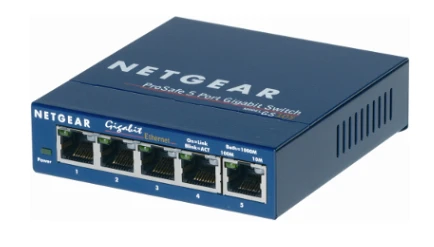
  • Five-port Gigabit Ethernet switch with patch cables
Speak with a Product Specialist +1 (757) 808-5696 · sales@lucas-nuelle.com

Wireless LANs carry a large share of the IT infrastructure in offices and homes. However, a connection only remains stable if the site survey, channel selection and encryption are right. The training system provides real hardware for this: a dual-band WLAN router, a repeater, two USB WLAN sticks, a Gigabit switch and diagnostic software. Learners configure SSIDs, DHCP and WPA2, measure signal strengths with inSSIDer and Xirrus Wi-Fi Inspector, check non-overlapping channels at 2.4 GHz and 5 GHz, and try out MIMO, channel bonding and short guard intervals. In the process, they learn to close coverage gaps with the repeater and to locate interference from Bluetooth, microwave ovens or third-party access points.

SO3538-4ZWLAN training system
SO2802-1DInteractive Lab Assistant: Office WIFI
LM9993AirCheck Wi-Fi testeroptional

Learning Content in Detail

Learners acquire the skills to set up a WLAN, survey its coverage and pinpoint faults during operation.

Commissioning a WLAN infrastructure

Learners configure the router, assign SSIDs, set up WPA2 keys and activate the DHCP server.

Measuring signal strength and attenuation

Learners record RSSI values with inSSIDer and evaluate level drops caused by obstacles and increasing distance.

Analyzing channel occupancy

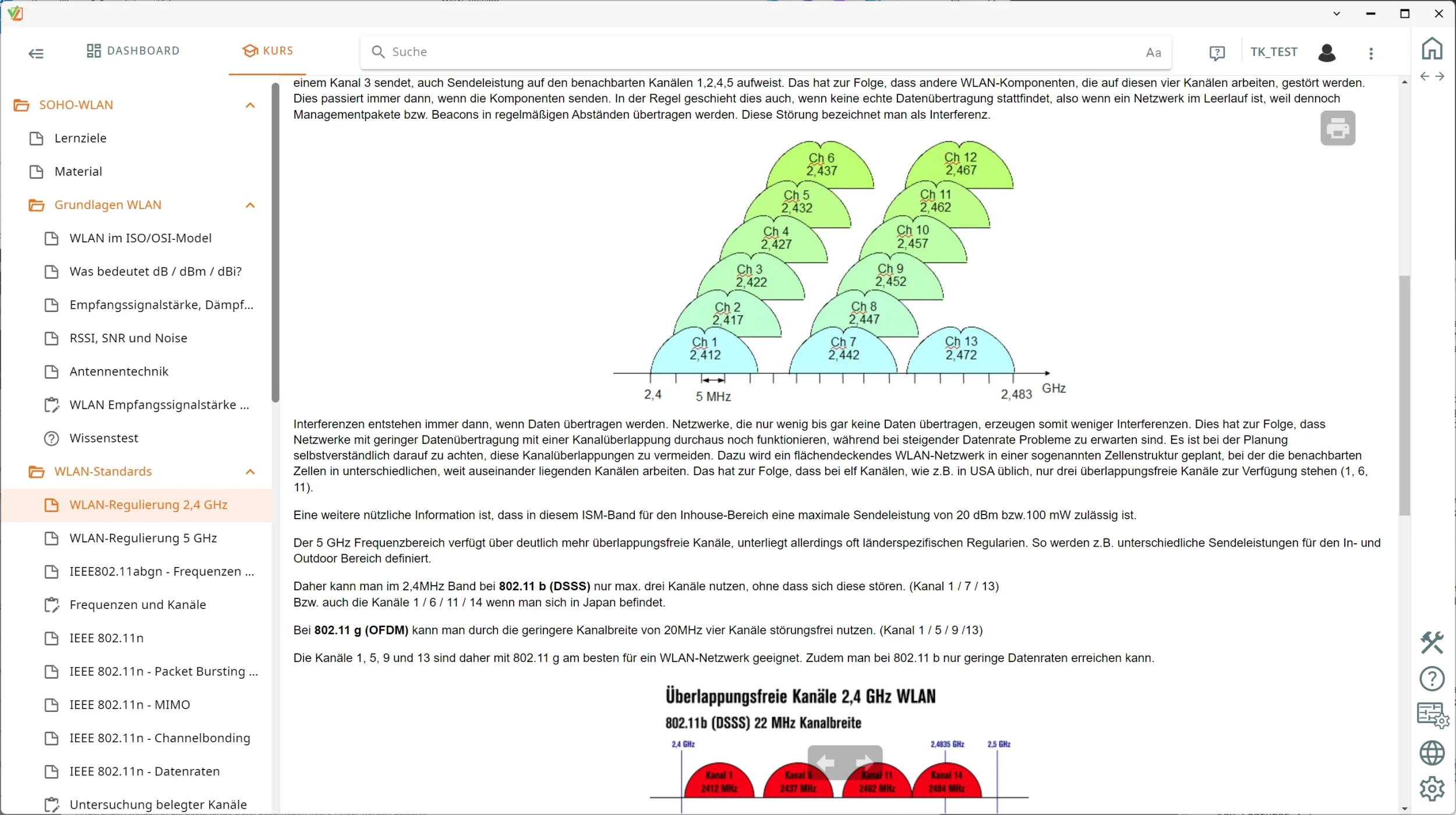
Learners examine the frequency spectra at 2.4 GHz and 5 GHz and select non-overlapping transmission channels.

Carrying out a site survey

Learners map WLAN coverage on a floor plan and use this to determine the best locations for access points.

Extending the range

Learners integrate the repeater via WPS or the web interface and close coverage gaps in the building.

Finding sources of interference and fixing faults

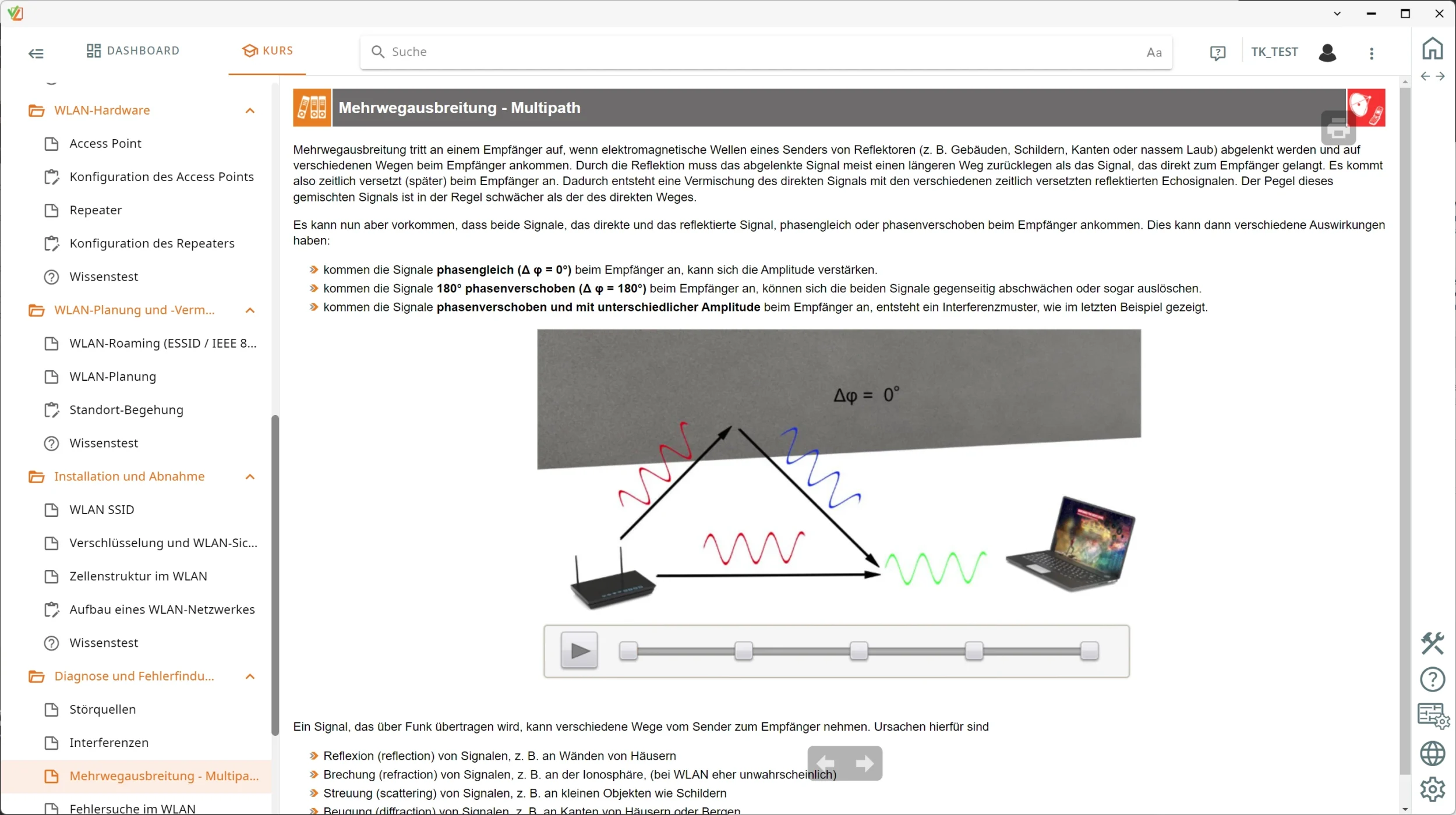
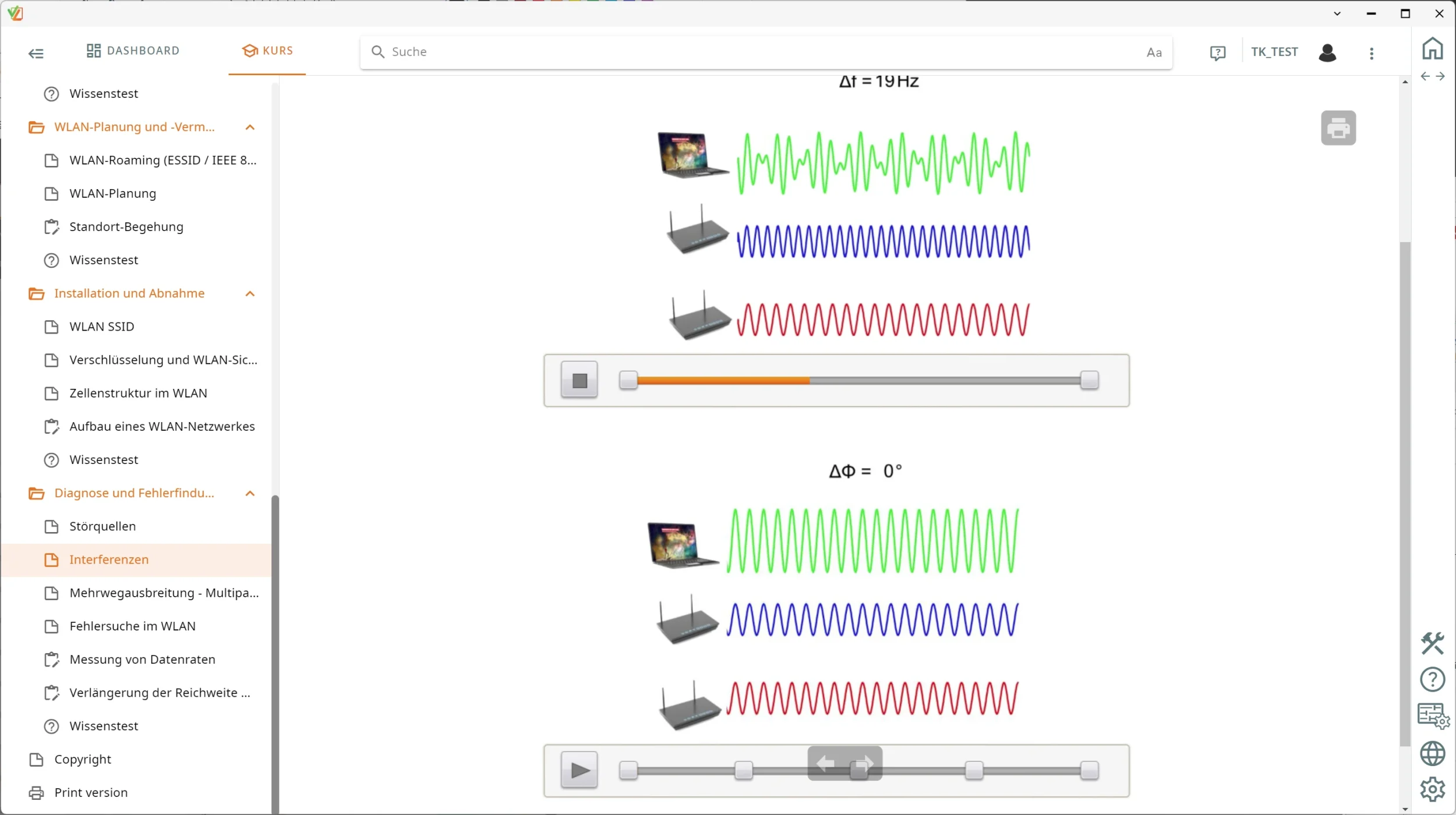
Learners identify interference caused by multipath propagation, microwave ovens and third-party access points.

Features & Applications

The system targets two fields of application: network technology in small office and home office environments, and industrial wireless networks and coverage planning for buildings.
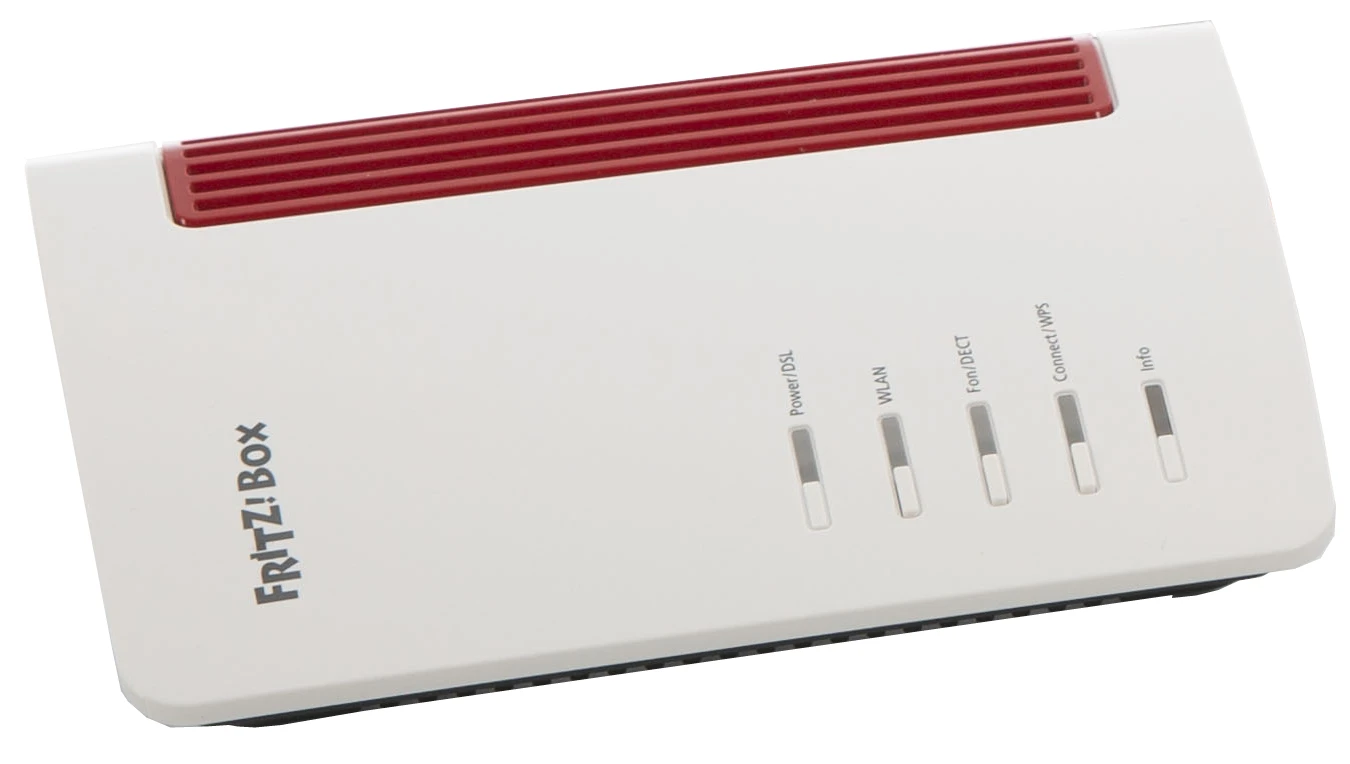
  • WLAN router as access point — The device combines a DSL modem, switch and dual-band WLAN to IEEE 802.11a/b/g/n and can be secured with WPA2.
  • Two USB WLAN sticks — The sticks quickly connect measurement computers that have no built-in WLAN, using Stick & Surf technology and WPS quick connection.
  • Configuring the access point and repeater independently — Learners set up SSIDs, DHCP servers and WPA2 encryption via the web interfaces and extend the range using the repeater and WPS.
  • Five-port Gigabit Ethernet switch with patch cables — The switch provides the wired connections of the SOHO network and connects measurement notebooks directly to the router infrastructure.
  • WLAN repeater — The repeater regenerates the signal, extends the range and closes coverage gaps in distributed building layouts.
  • Locating sources of interference and multipath propagation — Learners identify active interferers such as Bluetooth devices, microwave ovens or neighboring access points and demonstrate signal cancellation caused by multipath effects.
  • Aluminum storage case — The case protects the router, repeater, accessories and cable set during transport and keeps everything organized in the lab.
  • Interactive Lab Assistant: Office WLAN (SO2802-1D) — The course guides learners interactively through the experiments, provides instructions for surveying the radio field and evaluates knowledge tests electronically.
  • WLAN analysis with metageek inSSIDer and Xirrus Wi-Fi Inspector — Both tools detect the visible WLAN networks, display signal strength graphically as RSSI and show channel occupancy in the 2.4 and 5 GHz bands.
  • Evaluating RF signal levels, attenuation and SNR by measurement — Learners measure signal strengths as RSSI, evaluate the signal-to-noise ratio in dBm and calculate free-space path loss and antenna gain in dBi.
  • Comparing the 2.4 GHz and 5 GHz frequency bands channel by channel — Learners examine spectral masks, check the non-overlapping channels 1, 5, 9 and 13 and evaluate TPC and DFS regulation in the 5 GHz band.
  • Testing IEEE 802.11n transmission technologies — Learners analyze how MIMO spatial multiplexing, 40 MHz channel bonding and short guard intervals affect the achievable data rate.
Learners working with RXLea on a tablet at a Lucas-Nuelle training system
RXLea

From Knowledge Comes Capability.

You guide the learning

Where theory and practice go hand in hand.

RXLea brings a new way of learning: project-based, hands-on and clearly structured. Learners solve real-world tasks, while instructors save time on preparation. Interactive modules, smart analytics and real hardware create a modern, efficient learning world.

Hands-on and interactive

Animations, interactive tasks and realistic scenarios build a deep understanding. All content is organized into clear learning paths for focused, hands-on learning.

Digital support

3D assembly animations and digital instructions simplify complex procedures, reduce errors and help learners work more independently.

Visual support

Overview graphics, screenshots and sample animations make the learning world transparent. Photos from the learning packages are also available, including country-specific versions where needed.


Learners using a tablet at an energy training system
RXLea on desktop, laptop and tablet
RXLea Path Creator for building learning journeys
RXLea Navigator showing the learning world
Learn more about RXLea
Newsletter

Stay ahead in
technical training.

Get the latest training systems, product launches and educational insights, delivered directly to your inbox.

Your email address

By subscribing, you agree to our Privacy Policy. You can unsubscribe at any time.

 Please select at least one category before subscribing.
I'm interested in - select all that apply