


Skip to content

Automate Order-Based Assembly of Workpiece Upper Sections

RXLea
Digital projects for hands-on learningInteractive learning content, directly connected to the training system.

Automate Order-Based Assembly of Workpiece Upper Sections

CIS4dIS

Teach automated assembly of different product variants. Your students program order-based selection and assembly of workpiece upper sections and control the processes in TIA Portal.

Learning Content
  • Understanding variant assembly
  • Programming the order decision
  • Switching dual assembly valves
  • Adjusting approach times
KEY FEATURES
  • Assembling two top part variants in one station
  • Selective pneumatic control
  • Monitoring the fill levels of both shafts separately
  • Recipe-controlled assembly sequence
Speak with a Product Specialist +1 (757) 808-5696 · sales@lucas-nuelle.com

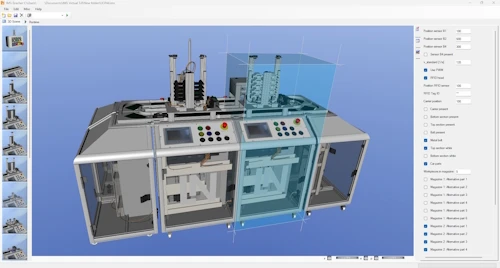
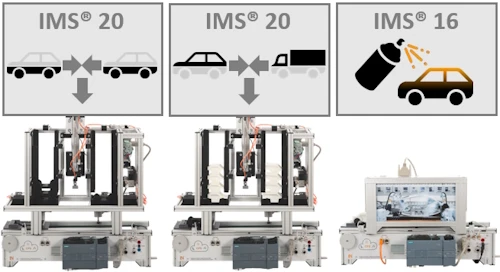
How can different product variants be assembled automatically on a single production line? This dual mechatronic subsystem helps you teach your students how production orders control the selection and assembly of workpiece components. Students program variant-specific assembly of upper sections and coordinate individual assembly steps with workpiece transport.

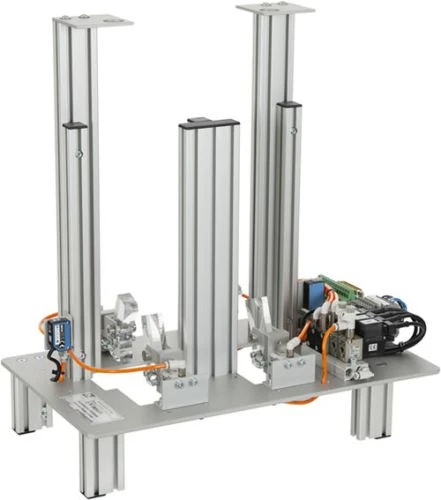
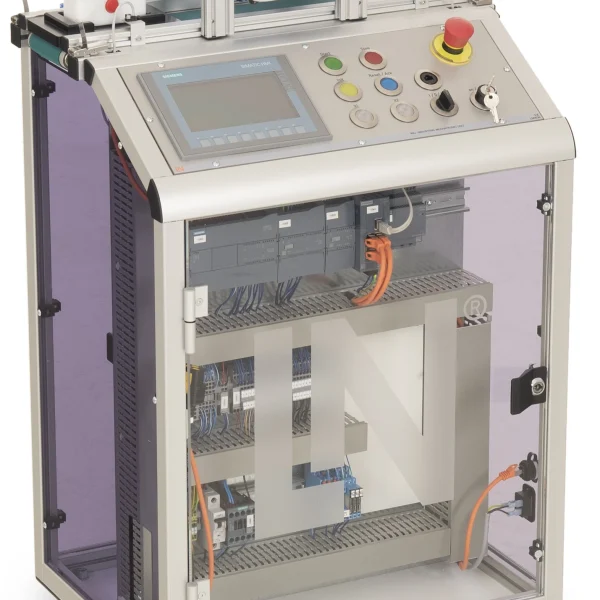
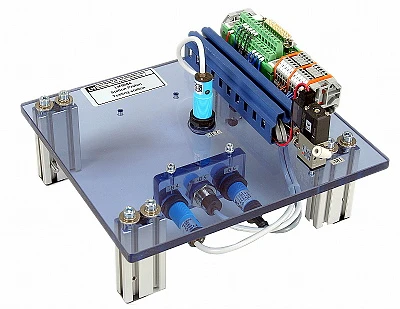
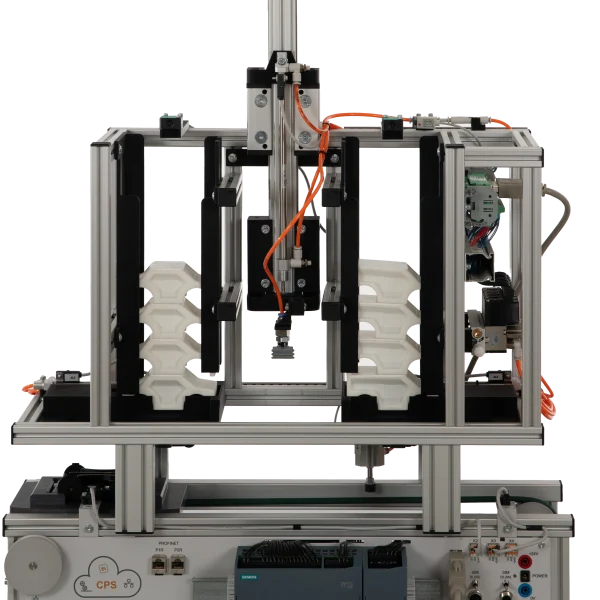
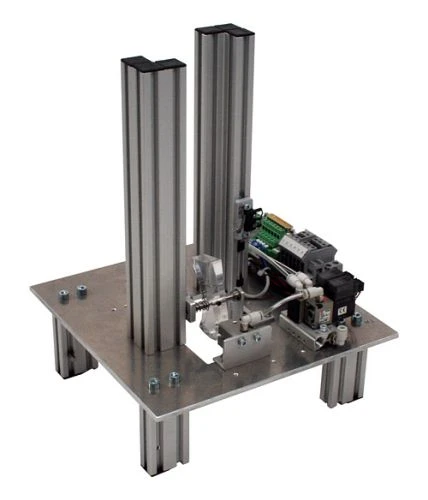
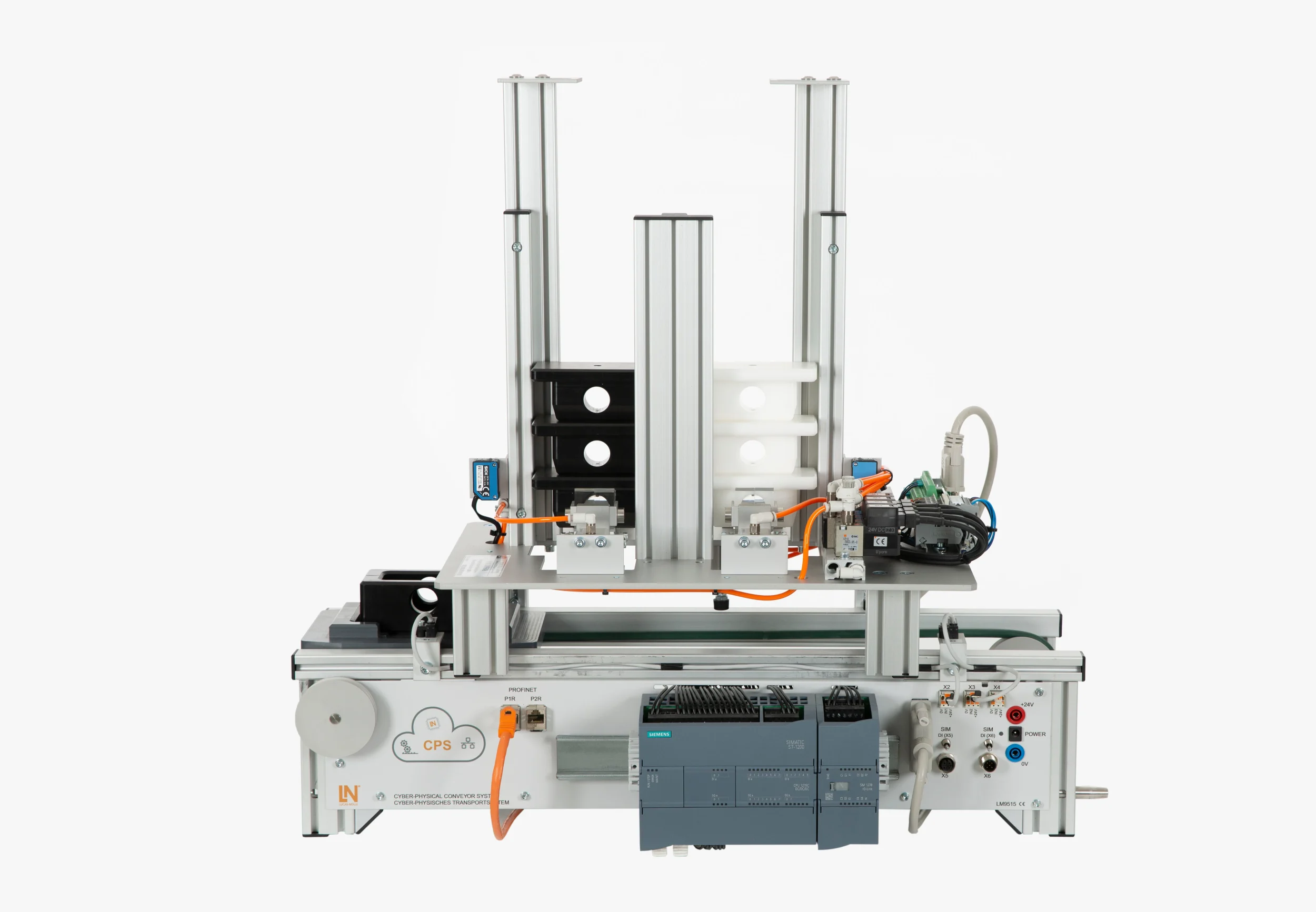
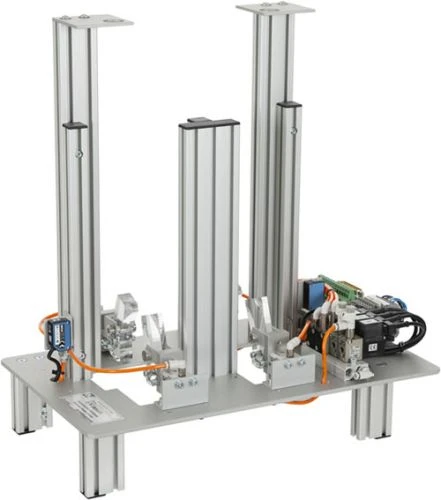
The subsystem integrates into IMS and IMU conveyor lines. Two separate stack magazines hold different workpiece upper sections. Four solenoid valves control two independently operating pairs of stoppers and assembly latches. Two photoelectric sensors monitor material levels in each magazine independently. Eight input and output signals connect to the controller through a 25-pin D-sub interface module.

Your students develop a sequence control program in TIA Portal that selects the appropriate magazine based on production order data. They position the workpiece carrier beneath the selected magazine using a two-stage stopper approach at reduced conveyor speed and control the assembly of the corresponding upper section. They learn to evaluate order bits and coordinate material feeding, positioning, and assembly operations. This helps you strengthen their understanding of flexible assembly processes and develop practical skills in programming and controlling manufacturing systems that handle multiple product variants.

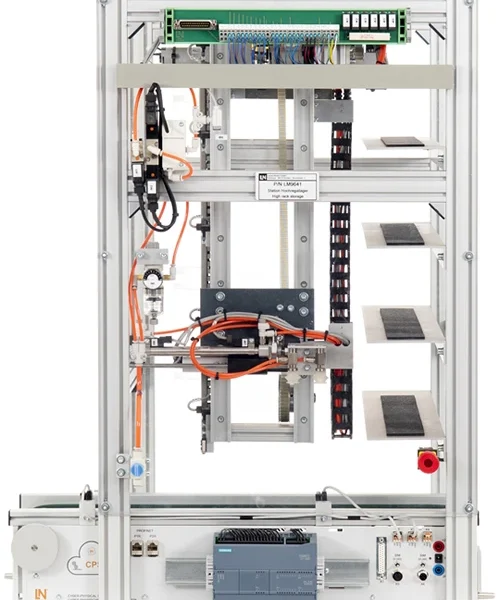
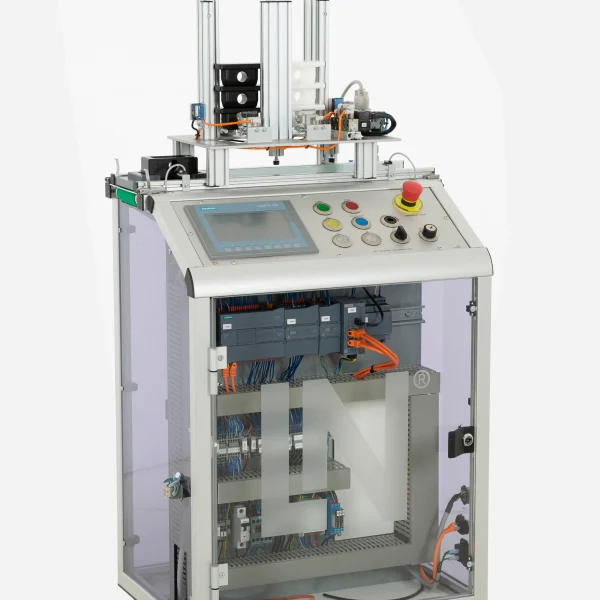
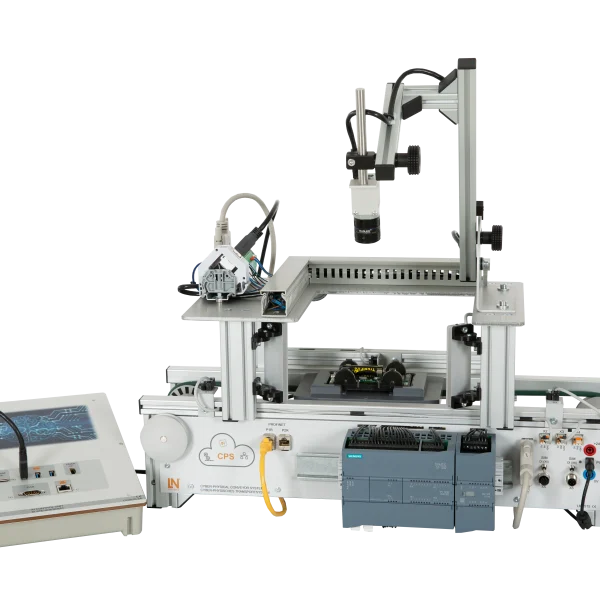
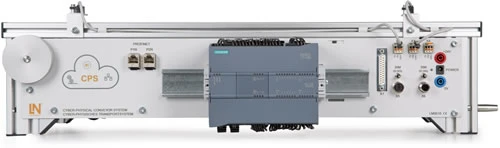
LM9515Cyber physical conveyor system with PLC
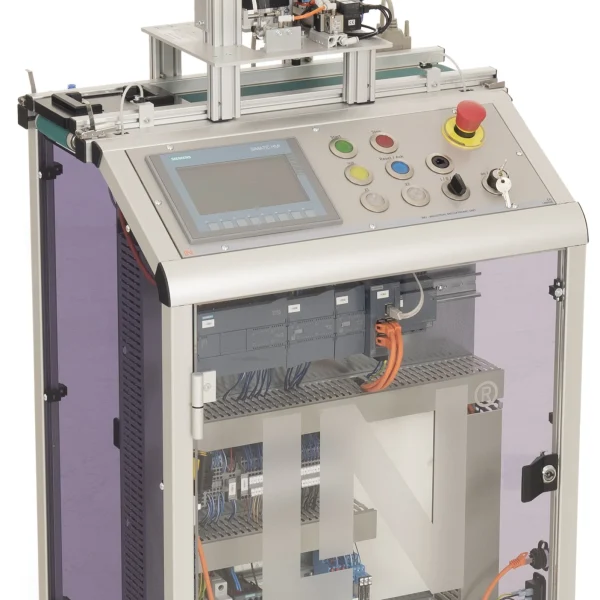
SO6200-2PQuickChart IMS 1.5 Cyber-physical conveyor belt system
LM9532Film, for oscilloscope cameratype LM 7000
LM9672DC power supply 24V/5A for IMS conveyor belts
LM9646Assembly double station
LM9066Interface cable 25-pin, Sub-D socket / plug 1m
SO6200-2RQuickChart IMS 4d Mechatronics Assembly double station
PAT050001CRXLea Content CIS01IS: Inbetriebnahme eines cyberphysischen Systems
SW00001Software RX Lea
SW00019Software LN Installer
PAT050002CRXLea Content CIS01IS: Grundlagen der SPS Programmierung
SW00001Software RX Lea
SW00019Software LN Installer
PAT050003CRXLea Content CIS01IS: Geschwindigkeitskontrolle mit PWM
SW00001Software RX Lea
SW00019Software LN Installer
PAT050004CRXLea Content CIS01IS: Analogwertverarbeitung in der SPS
SW00001Software RX Lea
SW00019Software LN Installer
SO2805-5XInteractive Lab Assistant: Self-commutated converter circuits
LM9677IMS displacement measurement module
LM8257USB 2.0 Ethernet adapter, 10/100
LM9716Set of Allen keys
LM9521Workpiece, top section, white
LM9522Workpiece, top section, black
LM9524Workpiece, bottom section, white
ST7200-7ASybaPro experiment trolley, 3-level, 6 sockets, 1250x1970x800mm
ST8010-4TMonitor holder for flat screen monitor of weight up to 15kg / 33lbs
ST7200-5LProtection cover for three-level experiment trolleys

Learning Content in Detail

Learners work through recipe-controlled module assembly: from evaluating the order data and controlling the pneumatics to testing the finished sequence in the TIA Portal.

Understanding variant assembly

Learners analyze the design and control of flexible double assembly stations.

Programming the order decision

Learners evaluate recipe bits and use them to control the carrier approach and the assembly at shaft A or B.

Switching dual assembly valves

Learners control four solenoid valves to actuate stoppers and joining pawls selectively.

Adjusting approach times

Learners set the travel times and creep phases precisely for the positions of the two magazine shafts.

Processing dual fill levels

Learners combine the signals from two light barriers for reliable material monitoring of both shafts.

Structuring function blocks for double stations

Learners develop extended function blocks with order flags and decoupled sequences.

Extending system libraries

Learners store blocks for double assembly stations in global TIA libraries.

Validating assembly processes

Learners test selective top part assembly in the TIA Portal while changing the order data.

Features & Applications

The subsystem brings together three training subject areas: automation technology, flexible assembly and production engineering, and pneumatics and control technology.
  • Assembling two top part variants in one station — Two separate magazine shafts hold different top parts. Depending on the order, the station places the matching variant on the bottom part without the line having to be retooled.
  • Selective pneumatic control — Four solenoid valves control two independent pairs of stoppers and assembly pawls. This allows the workpiece carrier to be locked precisely beneath shaft A or shaft B.
  • Monitoring the fill levels of both shafts separately — Two light barriers record the material stock in each shaft individually. If the program calls up an empty shaft, the monitoring function blocks the call.
  • Recipe-controlled assembly sequence — The PLC program reads the order bits and then controls the approach position, creep speed and assembly cylinder accordingly.
  • Compact Sub-D signal bundling — All eight I/O signals of the double assembly station are routed via the 25-pin Sub-D transfer module with reverse-polarity protection. The connection to the controller therefore consists of a single connector.
  • Two stack magazines, A and B — The two magazines hold different top parts and keep them ready for customer-specific assembly orders.
  • Pneumatic assembly pawls — Two 3/2-way solenoid valves actuate the pawls. Depending on the order selection, they join the top part from magazine 1 or magazine 2.
  • Pneumatic stoppers — Two 4/2-way solenoid valves lower the stopper cylinders and stop the workpiece carrier beneath the selected assembly position.
  • Cylinder switches for the upper stopper end position — The switches signal the upper end position of both stopper cylinders. Only this feedback enables the belt to move.
  • Light barriers for fill level detection — The light barriers optically detect the stock in shafts A and B and prevent assembly cycles without material.
  • 25-pin transfer module (-X1) — The module transmits the four actuator and four sensor signals of the double assembly station to the controller.
  • Siemens TIA Portal — Engineering software for variable-based step sequences, data blocks and creep speed parameters.
  • Interactive Lab Assistant course SO2805-5X — Interactive learning software with step-by-step instructions for programming double assembly stations.
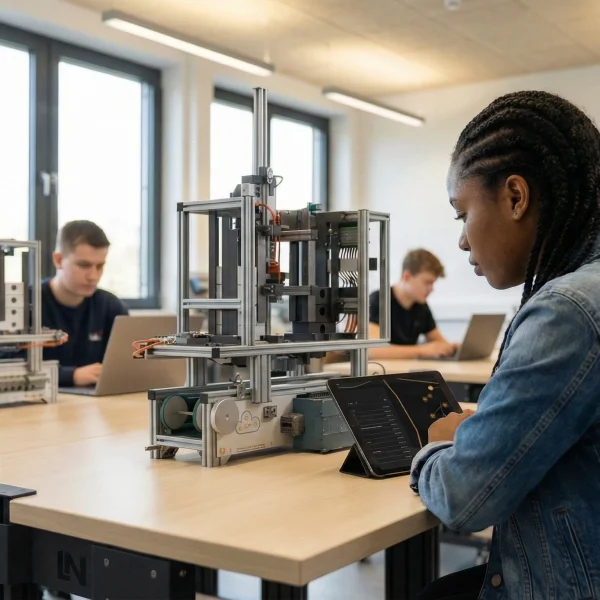
Learners working with RXLea on a tablet at a Lucas-Nuelle training system
RXLea

From Knowledge Comes Capability.

You guide the learning

Where theory and practice go hand in hand.

RXLea brings a new way of learning: project-based, hands-on and clearly structured. Learners solve real-world tasks, while instructors save time on preparation. Interactive modules, smart analytics and real hardware create a modern, efficient learning world.

Hands-on and interactive

Animations, interactive tasks and realistic scenarios build a deep understanding. All content is organized into clear learning paths for focused, hands-on learning.

Digital support

3D assembly animations and digital instructions simplify complex procedures, reduce errors and help learners work more independently.

Visual support

Overview graphics, screenshots and sample animations make the learning world transparent. Photos from the learning packages are also available, including country-specific versions where needed.


Learners using a tablet at an energy training system
RXLea on desktop, laptop and tablet
RXLea Path Creator for building learning journeys
RXLea Navigator showing the learning world
Learn more about RXLea
Newsletter

Stay ahead in
technical training.

Get the latest training systems, product launches and educational insights, delivered directly to your inbox.

Your email address

By subscribing, you agree to our Privacy Policy. You can unsubscribe at any time.

 Please select at least one category before subscribing.
I'm interested in - select all that apply