


Skip to content

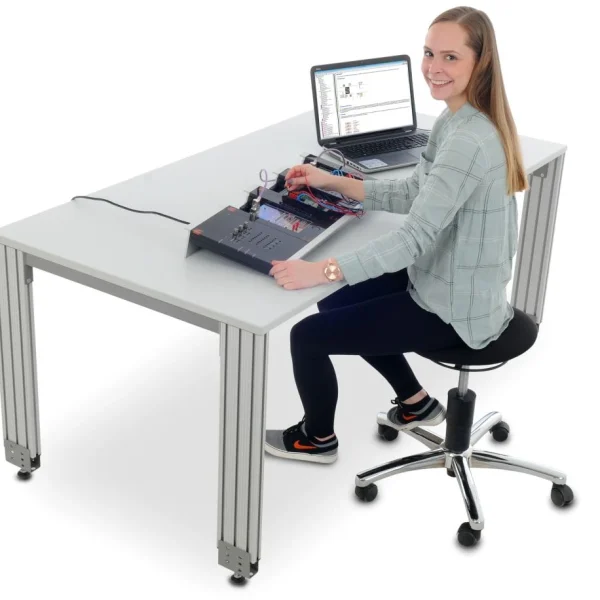
PLC Universal Application Simulator

RXLea
Digital projects for hands-on learningInteractive learning content, directly connected to the training system.

PLC Universal Application Simulator

CLC34PT

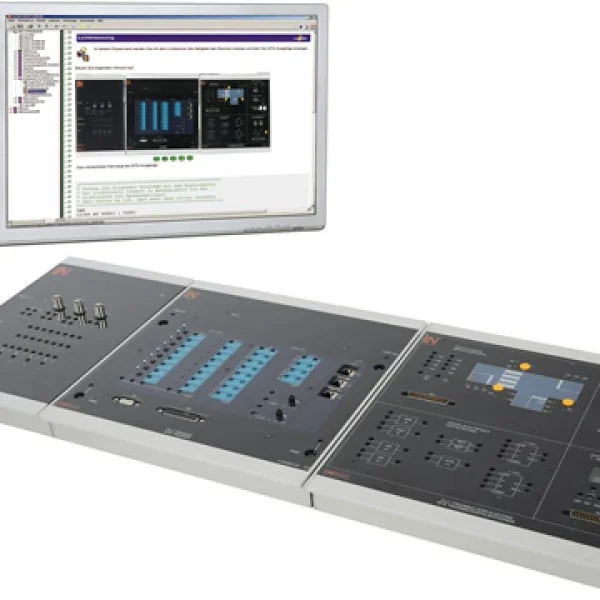
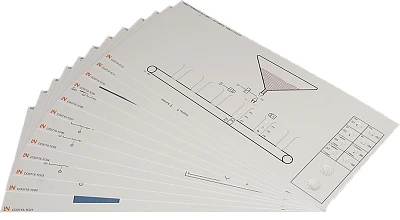
Teach the practical programming, simulation and validation of 24 industrial open-loop and closed-loop control processes using interchangeable overlay masks.

Learning Content
  • Applying basic PLC functions
  • Designing contactor interlocks
  • Parameterizing timers and counters
  • Developing sequential control systems
KEY FEATURES
  • 24 industrial plants to simulate
  • Risk-free hardware-in-the-loop
  • Flexible interface connection
  • Digital and analog interfaces
Speak with a Product Specialist +1 (757) 808-5696 · sales@lucas-nuelle.com

In modern automation technology, testing and validating PLC programs safely before actual commissioning is crucial for efficient development processes. The universal plant simulator allows complex open-loop and closed-loop control tasks to be tested safely on realistic process models without any risk of damage. In TIA Portal, learners develop PLC programs for 24 different plant masks and test logic, timers and step sequences in real time on the simulation hardware.

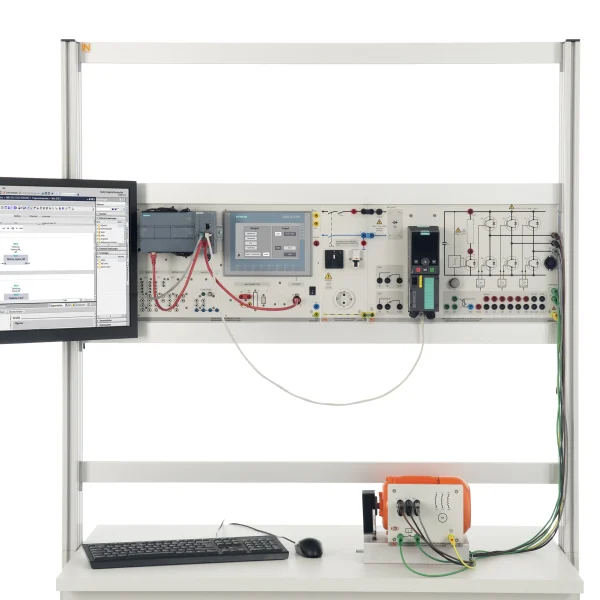
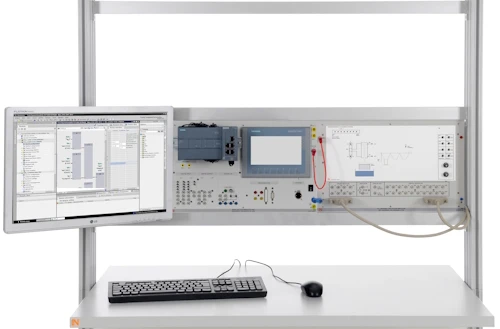
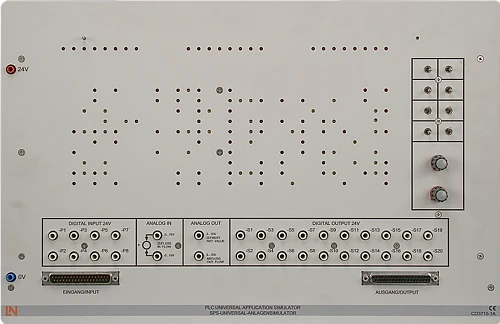
CO3715-1APLC universal application simulator
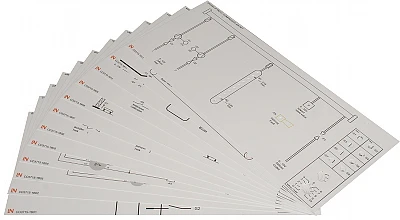
CO3715-1BSet of 12 overlay masks for PLC universal application simulator I
CO3715-1CSet of 12 overlay masks for PLC universal application simulator II
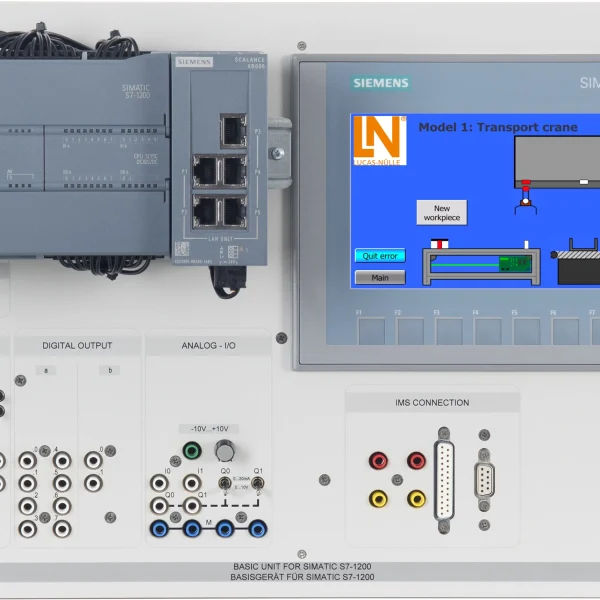
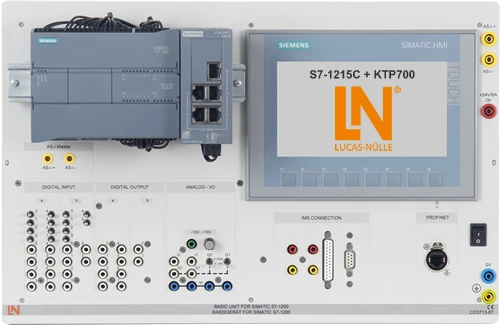
CO3713-8TSIMATIC S7-1215C + KTP700
SO6200-5JQuickChart, Siemens PLC S7 board, safety instructions (GB)
SO2800-4JInteractive Lab Assistant: CLC 34 Universal application simulator
ST7200-7ASybaPro experiment trolley, 3-level, 6 sockets, 1250x1970x800mm
ST8010-4TMonitor holder for flat screen monitor of weight up to 15kg / 33lbs
ST7200-5LProtection cover for three-level experiment trolleys
SO5126-8USafety measurement cable 4mm, 100cm/40", red, 600 V CAT III ~1000 V, CAT II / 32A
SO5126-8VSafety measurement cable 4mm, 100 cm, black, 600 V CAT III ~ 1000 V, CAT II / 32 A
SO5126-9ESafety measurement cable 4mm, 100cm, green, 600 V CAT III ~ 1000 V, CAT II / 32A
SO5126-8ASafety measurement cable 4mm, 25cm/10", red, 600V CAT III ~1000V CAT II / 32A
SO5126-3VSafety connecting plug 4mm with tap (2x), blue, 1000V/32A CAT II

Learning Content in Detail

With the universal plant simulator, learners acquire practical skills in automation technology.

Applying basic PLC functions

Learners program basic logic operations (AND, OR, NOT) for motor and plant circuits.

Designing contactor interlocks

Learners implement hardware and software interlocks for star-delta and Dahlander pole-changing controls.

Parameterizing timers and counters

Learners use on-delay timers and up/down counters to monitor filling systems.

Developing sequential control systems

Learners design state-based step sequences for airlock doors, transfer platforms and bending tools.

Processing analog values

Learners scale 0 to 10 V analog signals to control level systems, compressed-air networks and mixing plants.

Controlling reaction vessels

Learners program intermittent and continuous operation of pumps as well as heating controls for maintaining temperature.

Implementing safety concepts

Learners take the wire-break safety of NC contacts and contactor feedback into account in the control code.

Performing system tests

Learners test and optimize PLC programs directly on the plant simulator using interchangeable process masks.

Features & Applications

Discover the versatile functions, hardware components and digital tools of the universal plant simulator for realistic PLC training.
  • 24 industrial plants to simulate — The system offers 24 interchangeable overlay masks, ranging from construction site traffic lights and conveyor belts to reaction vessels, for a wide range of exercises.
  • Risk-free hardware-in-the-loop — PLC programs are tested directly on real simulation hardware. Errors in the control logic do not cause any damage to real machines.
  • Flexible interface connection — The simulator can be connected universally to any PLC via 37-pin system connectors or 4 mm safety jacks.
  • Digital and analog interfaces — With 8 digital inputs, 20 digital outputs and 2 analog inputs and 2 analog outputs, both binary and continuous processes can be represented.
  • Universal PLC plant simulator — The basic unit includes LED status indicators, switches, potentiometers for setting analog values and jacks for easy connection to the controller.
  • Overlay mask set, part 1 — Contains 12 templates for classic tasks such as construction site traffic lights, star-delta starting, Dahlander circuits, starters and tank filling systems.
  • Overlay mask set, part 2 — Contains 12 templates for advanced processes such as airlock door control, transfer platform, pipe bending machine, reaction vessel and automatic filling machine.
  • 37-pin system connectors — Enable fast, reverse-polarity-proof direct connection of all I/O signals to Siemens S7-1500 or S7-1200 training boards.
  • Integrated analog value processing — Two potentiometers and analog I/Os allow continuous level, pressure and mixing processes to be simulated and controlled within the system.
  • Interactive Lab Assistant course — Interactive software with experiment descriptions, process circuit diagrams, sample solutions and knowledge tests for all 24 plant simulations.
  • Siemens TIA Portal software — Engineering software for creating FBD blocks, tag tables and step sequences to control the plant simulator.
Learners working with RXLea on a tablet at a Lucas-Nuelle training system
RXLea

From Knowledge Comes Capability.

You guide the learning

Where theory and practice go hand in hand.

RXLea brings a new way of learning: project-based, hands-on and clearly structured. Learners solve real-world tasks, while instructors save time on preparation. Interactive modules, smart analytics and real hardware create a modern, efficient learning world.

Hands-on and interactive

Animations, interactive tasks and realistic scenarios build a deep understanding. All content is organized into clear learning paths for focused, hands-on learning.

Digital support

3D assembly animations and digital instructions simplify complex procedures, reduce errors and help learners work more independently.

Visual support

Overview graphics, screenshots and sample animations make the learning world transparent. Photos from the learning packages are also available, including country-specific versions where needed.


Learners using a tablet at an energy training system
RXLea on desktop, laptop and tablet
RXLea Path Creator for building learning journeys
RXLea Navigator showing the learning world
Learn more about RXLea
Newsletter

Stay ahead in
technical training.

Get the latest training systems, product launches and educational insights, delivered directly to your inbox.

Your email address

By subscribing, you agree to our Privacy Policy. You can unsubscribe at any time.

 Please select at least one category before subscribing.
I'm interested in - select all that apply