


Skip to content

Program and Control Mechatronic Manufacturing Processes

RXLea
Digital projects for hands-on learningInteractive learning content, directly connected to the training system.

Program and Control Mechatronic Manufacturing Processes

CIU03IU

Teach industrial control technology through hands-on training. Your students program automated workpiece separation, control conveyor speeds, and develop user interfaces in TIA Portal.

Learning Content
  • Understanding cyber-physical systems
  • Designing HMI interfaces
  • Programming separating processes
  • Controlling speed via PWM
KEY FEATURES
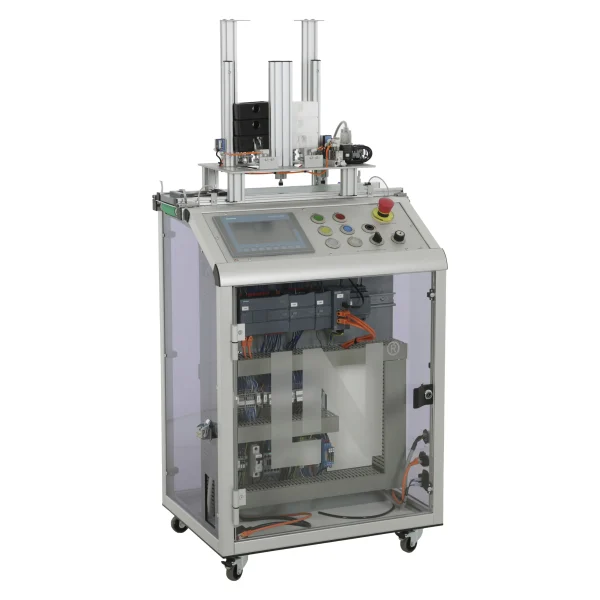
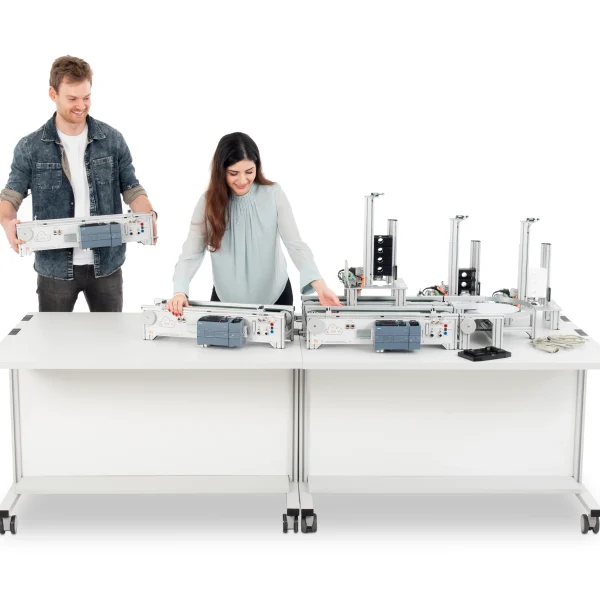
  • A complete station on a mobile cart
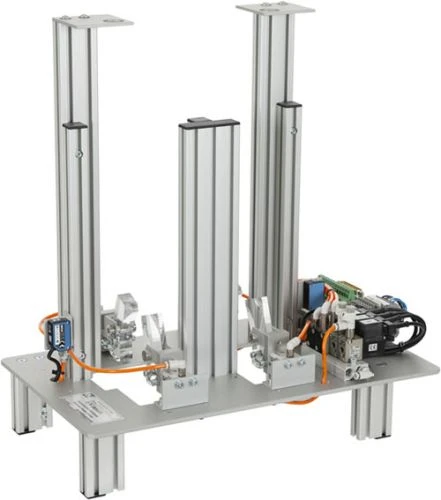
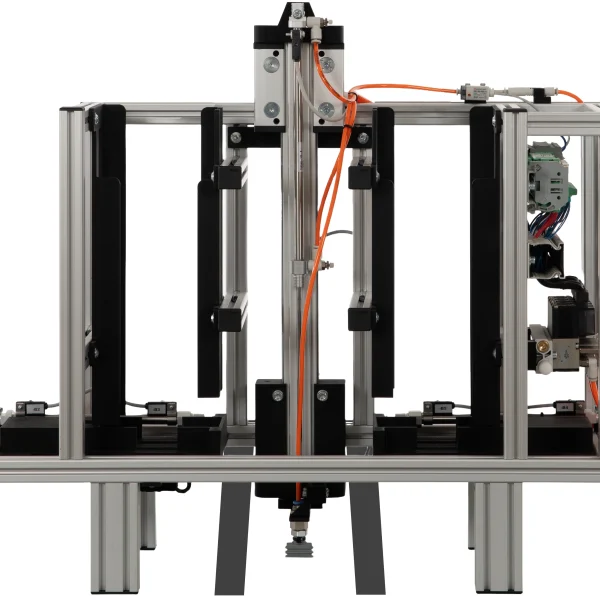
  • Pneumatic pawl separation
  • Process visualization on the touch panel
  • Controlling conveyor speed via PWM
Speak with a Product Specialist +1 (757) 808-5696 · sales@lucas-nuelle.com

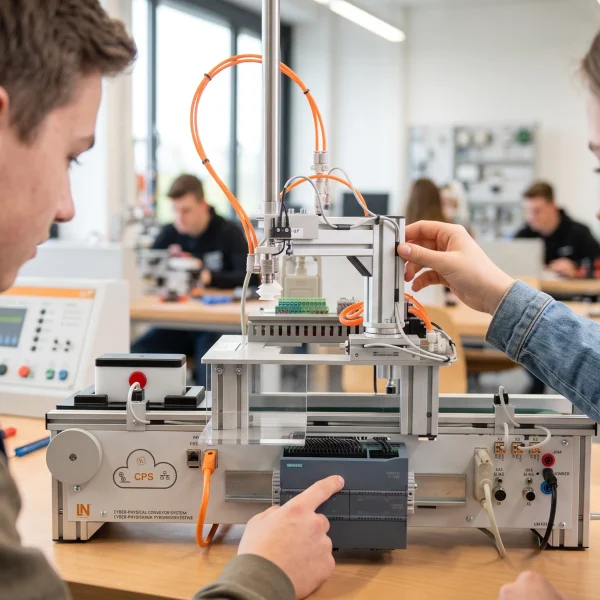
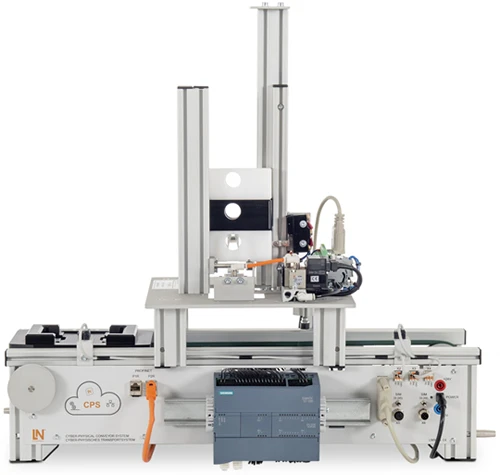
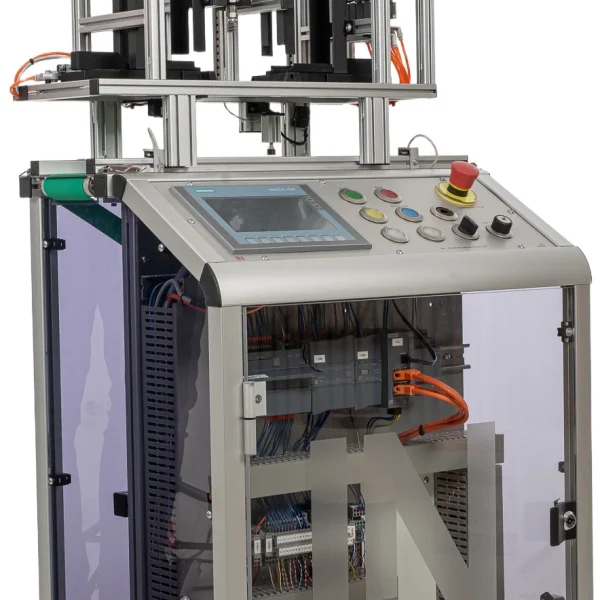
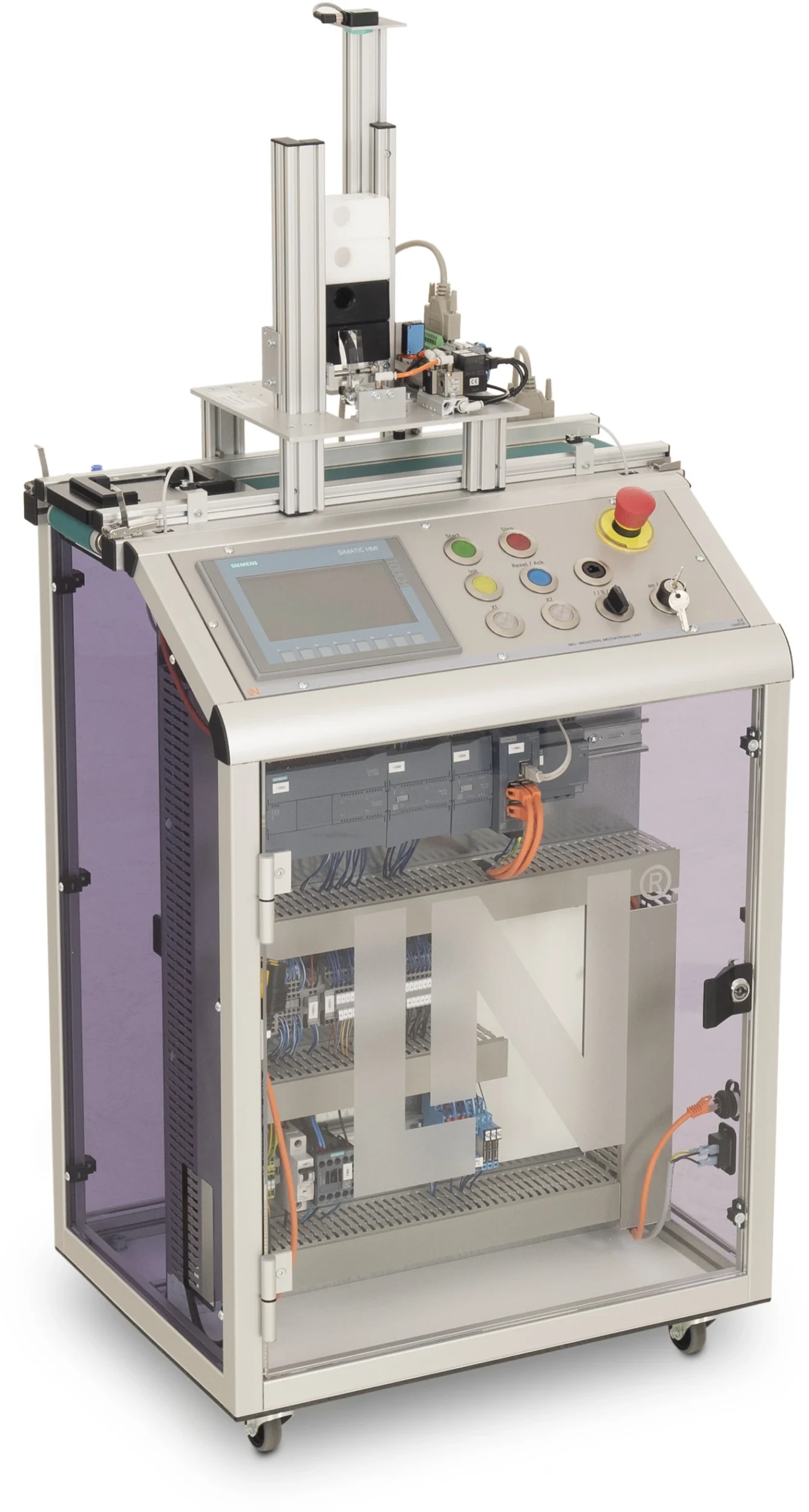
How do control technology, drive systems, pneumatics, and intelligent sensors work together in an automated manufacturing station? The mobile Industrial Mechatronic Unit (IMU) helps you teach your students the fundamentals of industrial automation using a complete mechatronic system. Students program control sequences, manage workpiece transport, and develop graphical user interfaces.

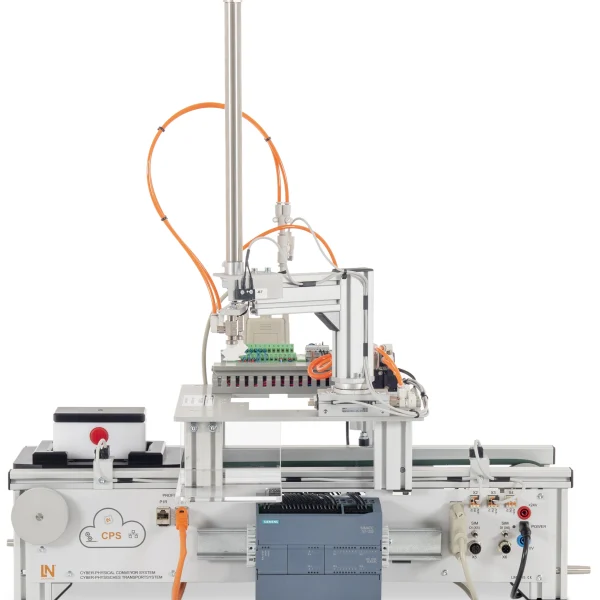
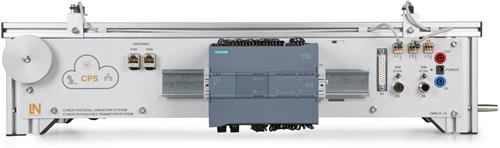
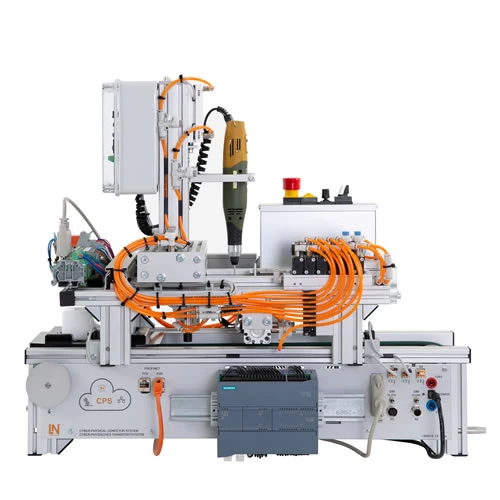
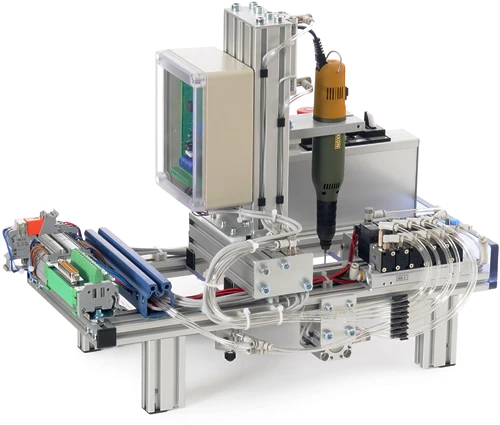
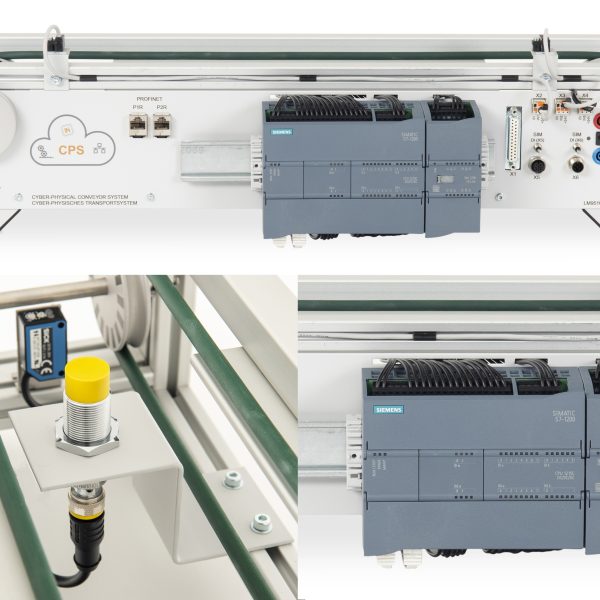
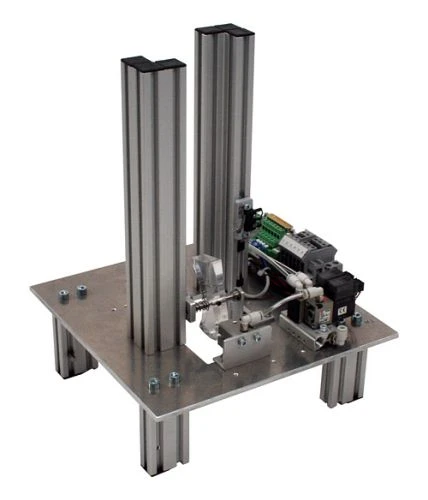
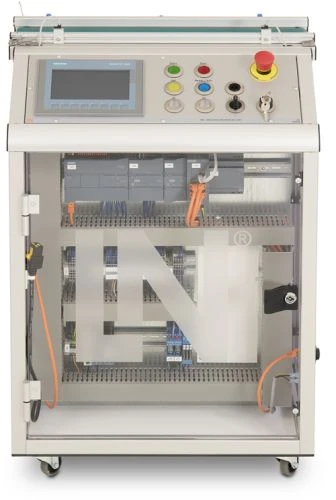
The IMU combines a conveyor belt with a DC motor and incremental encoder, a Siemens S7-1215C PLC, a control panel, and a KTP700 touch panel on a mobile training cart. The workpiece separation subsystem adds a stack magazine and pneumatic stopper. An IO-Link master with an RFID read/write head and ultrasonic sensor enables the integration of intelligent sensor technology.

Your students develop sequential control programs using Function Block Diagram (FBD) in accordance with IEC 61131-3 in TIA Portal and control conveyor speed through pulse-width modulation (PWM). Using WinCC, they design the graphical user interface for the touch panel. They learn to process sensor signals, coordinate pneumatic operations, and control drive systems. This helps you build their understanding of interconnected automation components while developing practical skills in programming, operating, and monitoring industrial manufacturing stations.

LM9536Industrial Mechatronic Unit
LM9532Film, for oscilloscope cameratype LM 7000
SO6200-2UQuickChart, IPA 1 Compact station (GB)
LM9627Sorting station
LM9066Interface cable 25-pin, Sub-D socket / plug 1m
SO6200-1CQuickChart, IMS 3 Mechatronics Sorting sub-system
SO2805-5JInteractive Lab Assistant: IMU 1 Industrial Mechatronic Unit
SO2805-5XInteractive Lab Assistant: Self-commutated converter circuits
LM9524Workpiece, bottom section, white
LM9525Workpiece, bottom section, black

Learning Content in Detail

Learners work their way from analyzing the station and programming the sequence, drive and visualization through to systematic troubleshooting.

Understanding cyber-physical systems

Learners analyze the design and networking of the Industrial Mechatronic Unit.

Designing HMI interfaces

Learners design touch panel screens in WinCC for controlling the station and displaying its status.

Programming separating processes

Learners create FBD step sequences in accordance with EN 61131-3 to control the pawl and stopper.

Controlling speed via PWM

Learners configure the pulse generators of the S7-1200 to adjust the conveyor speed smoothly.

Integrating safety functions

Learners integrate emergency stop concepts with edge detection and reset logic.

Processing magazine fill levels

Learners program protective queries that stop the feed process when the magazine is empty.

Reading analog values

Learners normalize and scale the current and voltage signals of the conveyor drive in TIA Portal.

Carrying out fault diagnosis

Learners systematically locate sensor and actuator faults using status LEDs and TIA diagnostics.

Features & Applications

The unit covers automation technology, mechatronics and production engineering, as well as industrial control technology.
  • A complete station on a mobile cart — The controller, touch panel, conveyor belt and pneumatic separating unit are combined in a mobile experiment unit that is ready for use without any assembly work.
  • Pneumatic pawl separation — A 3/2-way solenoid valve controls the ejector pawl of the stack magazine, which dispenses lower workpiece parts onto the workpiece carrier in an orderly manner.
  • Process visualization on the touch panel — The integrated KTP700 Basic Panel displays operating states, enables visual process monitoring and allows manual intervention.
  • Controlling conveyor speed via PWM — The controller modulates the conveyor speed using pulse-width modulation. This allows the carrier to start smoothly and be positioned precisely at the stopper.
  • Siemens S7-1215C with digital module — The central control unit comes with a PROFINET switch and onboard I/Os and acquires analog current and voltage values.
  • SIMATIC KTP700 Basic Panel (CO3713-4Q) — On the 7-inch touchscreen, learners develop their own HMI user interfaces and process visualizations.
  • Stack magazine with ejector pawl (-M2) — The magazine stores lower housing parts and separates them pneumatically onto the fixed workpiece carrier.
  • IO-Link with RFID head and ultrasonic sensor — An RFID read/write head connected via the IO-Link master module writes data to and reads data from the workpiece carrier. The ultrasonic sensor outputs the precise fill level of the magazine.
  • DC motor with incremental encoder — The drive enables speed-controlled conveyor movements as well as distance and position measurements by evaluating the pulses.
  • Siemens TIA Portal and WinCC — Engineering software for FBD sequential controls, PWM signals and the HMI touch panel screens.
  • Interactive Lab Assistant course — Interactive learning software with experiment instructions, 3D models, circuit diagrams and automated knowledge tests.
Learners working with RXLea on a tablet at a Lucas-Nuelle training system
RXLea

From Knowledge Comes Capability.

You guide the learning

Where theory and practice go hand in hand.

RXLea brings a new way of learning: project-based, hands-on and clearly structured. Learners solve real-world tasks, while instructors save time on preparation. Interactive modules, smart analytics and real hardware create a modern, efficient learning world.

Hands-on and interactive

Animations, interactive tasks and realistic scenarios build a deep understanding. All content is organized into clear learning paths for focused, hands-on learning.

Digital support

3D assembly animations and digital instructions simplify complex procedures, reduce errors and help learners work more independently.

Visual support

Overview graphics, screenshots and sample animations make the learning world transparent. Photos from the learning packages are also available, including country-specific versions where needed.


Learners using a tablet at an energy training system
RXLea on desktop, laptop and tablet
RXLea Path Creator for building learning journeys
RXLea Navigator showing the learning world
Learn more about RXLea
Newsletter

Stay ahead in
technical training.

Get the latest training systems, product launches and educational insights, delivered directly to your inbox.

Your email address

By subscribing, you agree to our Privacy Policy. You can unsubscribe at any time.

 Please select at least one category before subscribing.
I'm interested in - select all that apply